EasyManua.ls Logo

Unify OpenScape IP 55G - User Manual

Unify OpenScape IP 55G
6 pages
Print Icon
To Next Page IconTo Next Page
Loading...
© Unify Software and Solutions GmbH & Co. KG
Mies-van-der-Rohe-Str. 6, 80807 Munich/Germany
All rights reserved. 10/2015
Reference No.: A31003-D5500-U100-3-7619
unify.com
Key Layout and Operation
Fixed Function Keys
Context Sensitive Soft Keys
Navigation Keys
Access messages
(voicemail)
Open configuration
menus and applica-
tions
Decrease volume
Increase volume
Activate/deactiva-
te the loudspeaker
Activate/deactiva-
te the headset
Establish a
conference call
Hold a call
Deactivate/activate
the microphone
Call forwarding
control and options
Transfer a call
Access call log
Access directory
services
Show phone screen
Redial
Ringer off DND on
More...
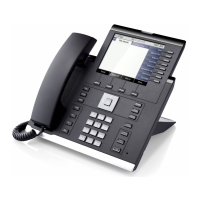
The OpenScape Desk Phone IP 55G has four Soft Keys providing con-
text sensitive features.
The "More..." Soft Key (if shown) provides access to more options.
Press h key:
- Cancel function
- Delete character
left of cursor
- Go back one menu
level
- for tab navigation
to move left
Press
key:
- Scroll upwards
Hold down key:
- Jump to top of list
Press key:
- Scroll downwards
Hold down key:
- Jump to end of list
Press
> key:
- for tab navigation
to move right
Press OK key:
- Confirm input
- Perform action
Key Pad Shortcuts
Display Icon Overview
Display Icons in Idle State
Display Icons during a Call
Generic Display Icons
Icon Explanation
You have received one or more new messages
You have one ore more new missed calls
Call Forwarding is activated for all calls
Icon Explanation
Call is active
Voice connection with high quality (G.722)
Call has been disconnected
You have placed the call on hold
Your call partner has placed the call on hold
Secure voice connection
Insecure voice connection
Icon Explanation
Ringer is deactivated
Do not disturb is activated
Phone lock is activated
A mobile user is logged on to the phone
Remote maintenance has been activated

Longpress * to deactivate/
activate the ring tone
Longpress # to lock/unlock the phone
OpenScape
Desk Phone IP 55G
Quick Reference Card
Question and Answer IconNeed help?

Do you have a question about the Unify OpenScape IP 55G and is the answer not in the manual?

Unify OpenScape IP 55G Specifications

General IconGeneral
BrandUnify
ModelOpenScape IP 55G
CategoryTelephone
LanguageEnglish

Related product manuals