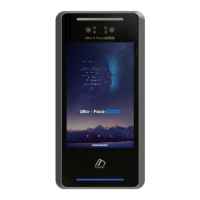
UBio-X Face User Guide 3
UNIONCOMMUNITY Co., Ltd.
Address: 12F, Munjeong Daemyeong Valeon bldg, 127 Beobwon-ro Songpa-gu,
Seoul, Korea (zip code: 05836)
Tel: +82-2-6488-3000, Fax: +82-2-6488-3099,
E-Mail: sales@unioncomm.co.kr; http://www.unioncomm.co.kr
<Glossary>
Admin, Administrator
- A user who can enter into the terminal menu mode, he/she can register/modify/delete
terminal users and change the operating environment by changing settings.
- If there is no administrator for a terminal, anyone can change the settings. In this
regard, it is recommended to register at least one administrator.
- Caution is required with registration and operation because an administrator has the
right to change critical environmental settings of the terminal.
Authentication level
- Depending on the face matching rate, it is displayed from 1 to 9. Authentication is
successful only if the matching rate is higher than the set level.
- The higher the authentication level, the higher the security. However, it requires a
relatively high match rate, so Authentication is vulnerable to failure.
- 1:1 Level: Authentication level used for 1:1 verification
- 1:N Level: Authentication level used for 1:N identification
Authentication Method
- This represents the various types of authentication, including Face authentication, RF
(card) authentication or a combination of these methods.



 To Next Page
 Loading...