UBio-X Face User Guide 53
UNIONCOMMUNITY Co., Ltd.
Address: 12F, Munjeong Daemyeong Valeon bldg, 127 Beobwon-ro Songpa-gu,
Seoul, Korea (zip code: 05836)
Tel: +82-2-6488-3000, Fax: +82-2-6488-3099,
E-Mail: sales@unioncomm.co.kr; http://www.unioncomm.co.kr
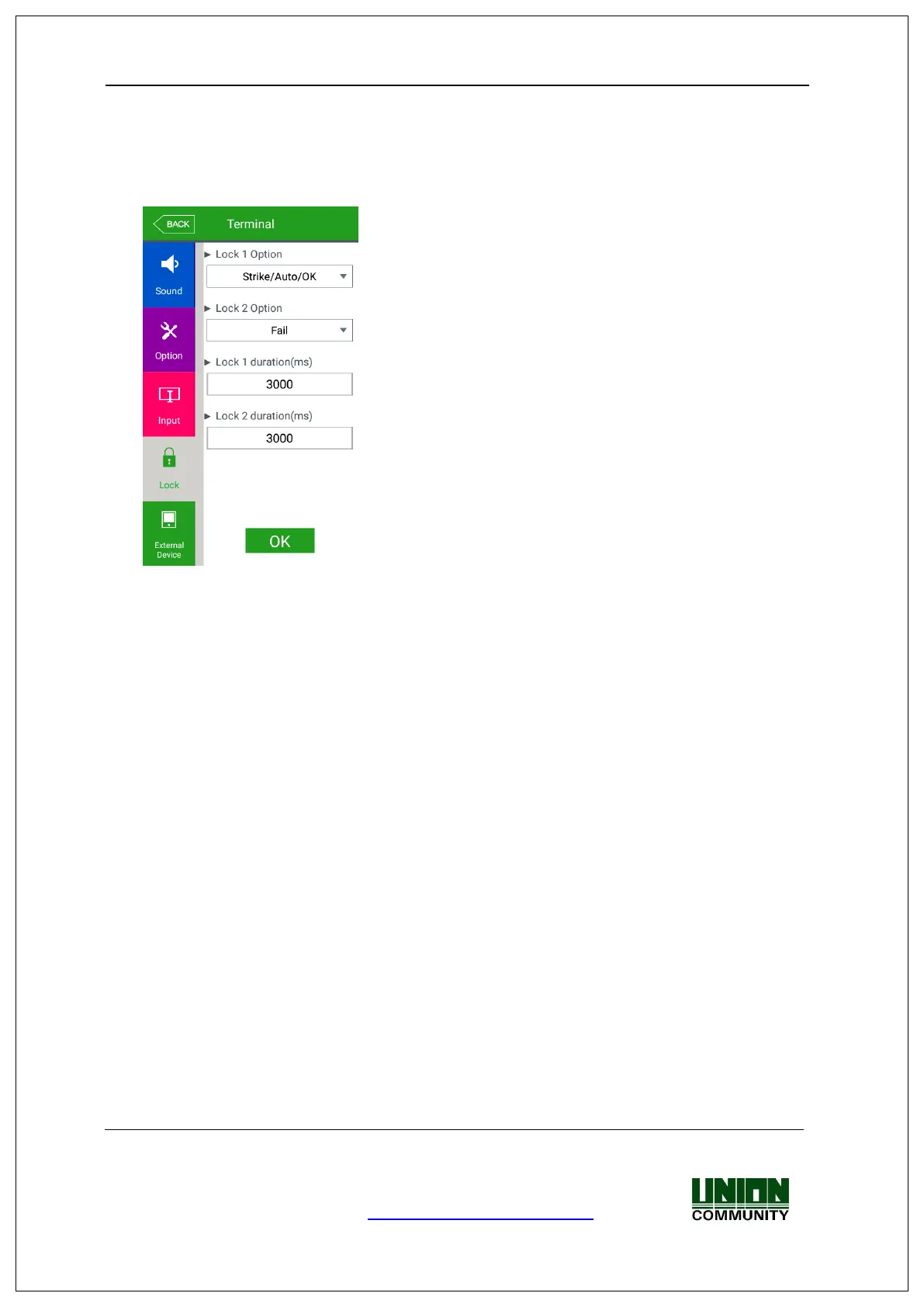
▶Lock 1 Option
- None: When it is not used
- Strike/Auto/OK: When the warning light is connected to indicate the strike type,
auto door, or authentication success/failure on Lock1.
- Motor lock 1: When the motor lock is connected.
- Regular notification: When the siren setting of the terminal option was sent to the
terminal, it sends the operating signal about it.
- Duress alarm: No use
▶Lock 2 Option
- None: When it is not used
- Strike/Auto/OK: When the warning light is connected to indicate the strike type,
auto door, or authentication success/failure on Lock2.
- Motor lock 2: When the motor lock is connected.
- Regular notification: When the siren setting of the terminal option was sent to the
terminal, it sends the operating signal about it.
- Duress alarm: No use
▶Lock 1 duration (ms)
When Lock 1 is set ‘Strike/Auto/OK’, it determines the signaling time. Because it is set
in ms unit, if you want to set 3 seconds, you should set 3000. The strike type means
the time until the door is locked again when opening the door after authentication.


 To Next Page
 Loading...