EasyManua.ls Logo

Unitech MS650BT - User Manual

Unitech MS650BT
19 pages
Print Icon
To Next Page IconTo Next Page
Loading...
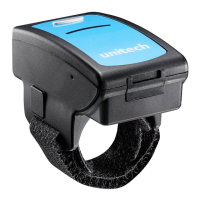
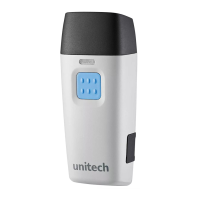
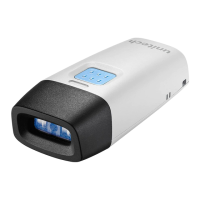
MS650 Wireless CCD
Ring Scanner
Quick Guide
because we care
For more detailed scanner setting,
please go to www.ute.com to
download the user manual.
Version 1.0

Questions and Answers

  • M
    mccoymelissaAug 12, 2025
    Why my Unitech Barcode Reader Bluetooth is unable to detect the scanner?
    • D
      Dawn LeeAug 12, 2025
      If your Bluetooth can't detect the Unitech Barcode Reader, ensure your Bluetooth version is 4.0 or later. Try restarting your Bluetooth or host device. Check that the scanner is in BT-HID mode. The scanner might be powered off, as it goes to sleep after 30 seconds of inactivity. Reactivate it by touching the scan button on both sides, or increase the power off timeout to keep it awake longer.
  • T
    Toni ParkerAug 22, 2025
    What to do if my Unitech Barcode Reader Bluetooth can detect the scanner, but it cannot pair?
    • J
      Jasmine MannAug 23, 2025
      If your Bluetooth detects the Unitech Barcode Reader but fails to pair, ensure your Bluetooth version is 4.0 or later and restart your Bluetooth or host device. Also, remove the scanner from the Bluetooth settings of any host device it was previously paired with.
  • R
    Robert WilliamsAug 31, 2025
    Why Unitech Barcode Reader does not read barcode instantly?
    • K
      kingmichelleAug 31, 2025
      If the Unitech Barcode Reader isn't reading barcodes instantly, it could be due to poor barcode print quality or weak ambient light. If the ambient light is too weak, configure the LED illumination to auto-adaptive or always on.

Unitech MS650BT Specifications

General IconGeneral
BrandUnitech
ModelMS650BT
CategoryBarcode Reader
LanguageEnglish

Related product manuals