Need help?
Do you have a question about the Unitronics Land Vision280 and is the answer not in the manual?
Covers critical warnings, cautions, and notes for safe product usage and operation.
Details protective clothing, electrical safety, storage, unpacking, and lifting instructions.
Explains the meaning of WARNING, CAUTION, and NOTE symbols for hazard awareness.
Provides contact details for Land Instruments International in the UK and USA.
Outlines procedures for reporting transit damage and returning items for repair.
Details ISO 9001 approval and compliance with European directives (EMC, Low Voltage).
Describes the intended use of the control room unit with Model 9100 monitor.
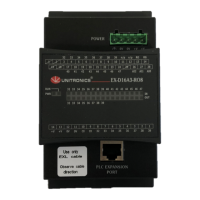
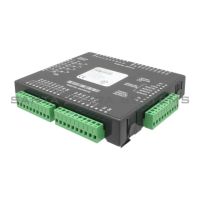
Illustrates the control panel, optional power supply, and I/O module.
Provides detailed measurements and diagrams of the control room unit.
Specifies the required panel cutout dimensions for mounting the unit.
Illustrates the earth assembly and connection point for the unit.
Details specifications and requirements for fitting the unit into a 19-inch rack.
Explains how to make power connections, including terminal details.
Guidance on selecting a suitable location and installation practices.
Instructions for connecting the control room unit to the Model 9100 monitor.
Details the physical connections between the CRU and the Model 9100 receiver.
Illustrates the internal electrical connections of the control room unit.
Details the terminals for customer connections like outputs and relays.
Identifies and explains the function of keys, screen, and keypad.
Describes the functions of F8 (Password Lock) and F9 (Refresh).
Explains the use of scroll keys, keypad, escape, and enter for menu navigation.
Procedure for entering the password using the keypad for access.
Information on how long the entered password remains valid.
Presents the hierarchical structure of the system menus and options.
How to view and interpret fault messages displayed by the Model 9100.
Covers type, compatibility, communications, and installation requirements.
Details analog outputs, alarm relays, power supply, and consumption.
Covers operating temperature, protection ratings, safety, EMC, dimensions, and weight.
Instructions for setting Modbus address and output ranges.
Procedure for configuring the system's date and time settings.
How to adjust display parameters for CO concentration and diagnostic data.
Steps to perform calibration checks and zero calibration on the unit.
Information on password access, lock status, and manual locking.
Comprehensive list of all configurable instrument parameters organized by page.
Details warranty period, exclusions, and conditions for Land Instruments products.
Outlines warranty terms for Model 4500mkIII and other products.
 General
| Power Supply | 24VDC |
|---|---|
| Display | 5.7" TFT LCD |
| Communication | Ethernet |
| Memory | 2MB Data |
| RTC | Yes |
| CPU | 32-bit processor |
| Touch Panel | Resistive |
| Communication Ports | Ethernet |
| Analog Outputs | 2 |
| Protection Class | IP65 |


 To Next Page