User Guide Control Room Unit for Model 9100 Carbon Monoxide Monitors
11
Calibration
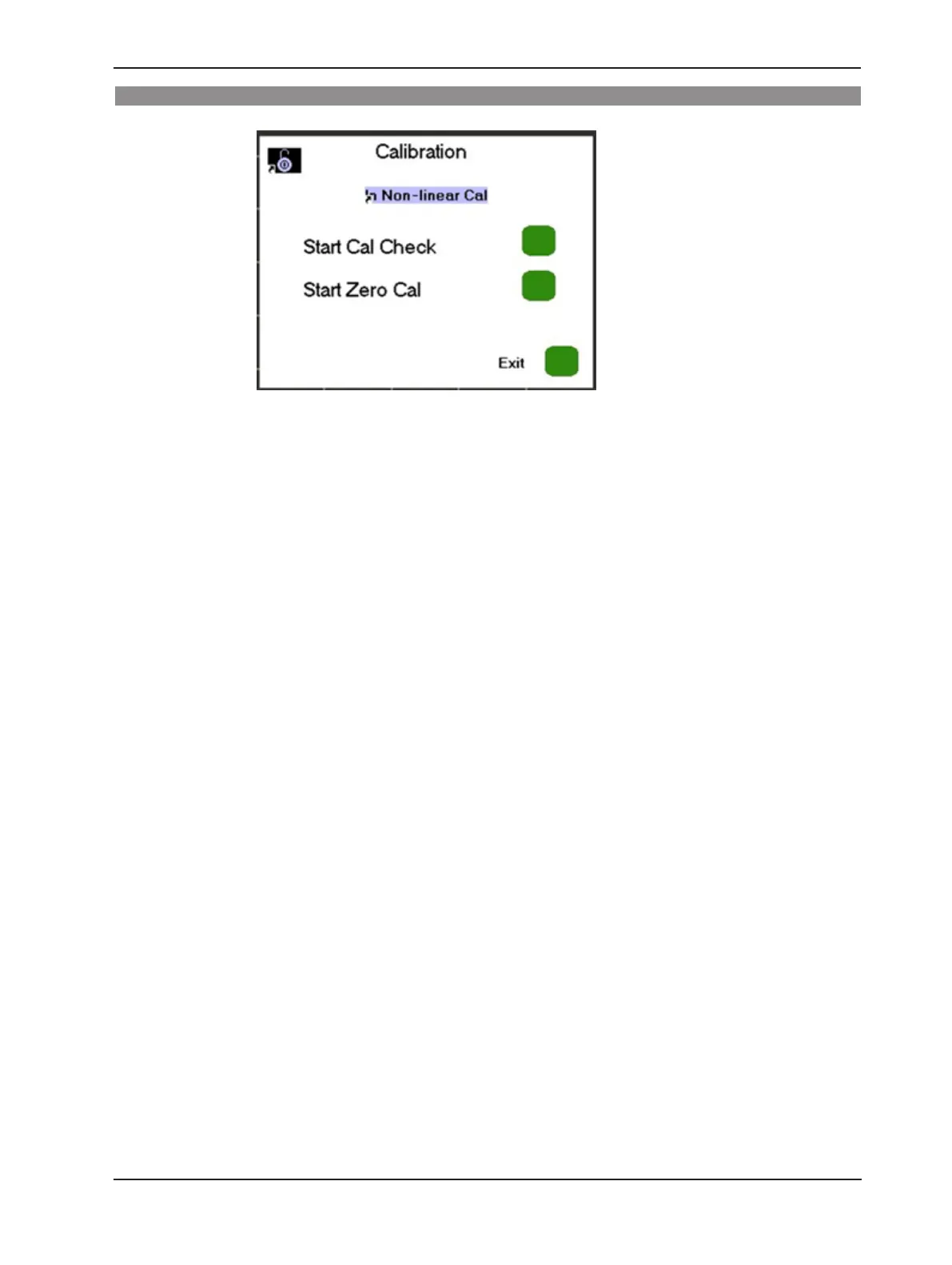
The calibration check and zero calibration functions can be initiated from the Control
Room Unit.
The password 417 is needed to access the calibration menus. After entering the correct
password, an “unlocked” icon is displayed in the upper left corner of the display. The
Control Room Unit will lock automatically after 10 minutes of inactivity; alternatively, it
can be locked manually by pressing the F8 key.
A calibration check may be initiated at any time by touching the Start Cal Check button.
A zero calibration must only be performed when there is no carbon monoxide in the
optical path of the model 9100. Therefore, a zero calibration must not be performed
when there are products of combustion in the ue gases. A zero calibration may be
initiated by touching the Start Zero Cal button.



 To Next Page