EasyManua.ls Logo

Unitronics Vision OPLC V350-35-TR20 - User Manual

Unitronics Vision OPLC V350-35-TR20
10 pages
Print Icon
To Next Page IconTo Next Page
Loading...
Unitronics
1
Vision™ OPLC™
V350-35-TR20
Installation Guide
The Unitronics V350-35-TR20 offers the following onboard I/Os:
12 Digital Inputs, configurable via wiring to include 2 Analog, and 3 HSC/Shaft-encoder Inputs
6 Relay Outputs
2 high-speed npn Transistor Outputs
General Description
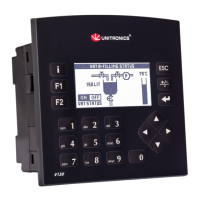
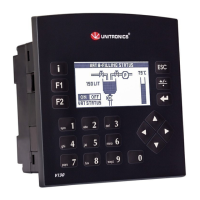
V350 OPLCs are micro-OPLCs, rugged programmable logic controllers that comprise:
On-board I/O configuration
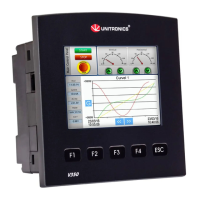
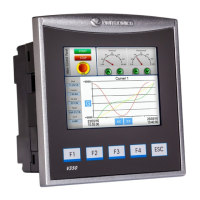
Built-in operating panel containing a 3.5” Color Touchscreen and programmable function keys
Communications
1 built-in serial port: RS232/RS485
Optional: the user may order and
install one or both of the following
modules:
- RS232/RS485/Ethernet
- CANbus
Communication Function Blocks
include: SMS, GPRS, MODBUS
serial/IP. Protocol FB enables PLC to
communicate with almost any external
device, via serial or Ethernet
communications
I/O Options
V350 supports digital, high-speed, analog,
weight and temperature measurement I/Os via:
On-board I/O configuration
Model-dependent
I/O Expansion Modules
Local or remote I/Os may be added via
expansion port or CANbus.
Information Mode
This mode enables you to:
View & Edit operand values, COM port settings, RTC and screen
contrast/brightness settings
Stop, initialize, and reset the PLC
To enter Information Mode, press the <i> button for several seconds.
Programming
Software,
& Utilities
The Unitronics Setup CD contains VisiLogic software and other utilities.
VisiLogic
Easily configure hardware and write both HMI and Ladder control
applications; the Function Block library simplifies complex tasks such
as PID. Write your application, and then download it to the controller
via the programming cable included in the kit.
Utilities
Includes UniOPC server, Remote Access for remote programming
and diagnostics, and DataXport for run-time data logging.
To learn how to use and program the controller, as well as use utilities such
as Remote Access, refer to the VisiLogic Help system.
Question and Answer IconNeed help?

Do you have a question about the Unitronics Vision OPLC V350-35-TR20 and is the answer not in the manual?

Summary

General Description

Unitronics V350 OPLC Overview

Rugged programmable logic controllers with on-board I/O and touchscreen interface.

Communications and I;O

Connectivity and I;O Options

Features RS232/RS485, optional modules, and supports various I/O types and expansion.

Information Mode

Accessing and Using Information Mode

Press 'i' button to view/edit parameters and control PLC states.

Programming and Utilities

VisiLogic and System Utilities

Includes VisiLogic for development and utilities for remote access and data logging.

Data Storage and Management

Micro SD Card and Data Tables

Utilize Micro SD for datalogs/backups and Data Tables for recipes/logs.

Standard Kit Contents

Included Components

Lists the Vision controller, I/O connectors, battery, and programming cable.

Safety and Environmental Precautions

Danger and Warning Symbols

Explains symbols indicating potential physical and property damage risks.

Environmental Installation Guidelines

Advises on avoiding dust, moisture, heat, vibration, and ensuring proper ventilation.

Mounting

Panel Mounting Procedure

Detailed steps for cutting a panel and securely installing the controller.

DIN-rail Mounting

DIN-rail Installation

Instructions for snapping the controller onto a standard DIN rail.

Wiring

General Wiring Precautions

Includes warnings about live wires, circuit protection, torque, and wire types.

Wiring Procedure

Step-by-step guide for stripping wire, inserting into terminals, and securing connections.

I;Os

Input Configuration and Functionality

Details on 12 inputs, configurable as digital, analog, or high-speed counters via jumpers.

Input Jumper Settings

Tables and diagrams for setting digital, analog, and counter input types using jumpers.

I;O Wiring

Input Wiring Examples

Diagrams for npn and pnp wiring for digital and high-speed counter inputs.

Shaft-encoder and Analog Input Wiring

Shaft-encoder Wiring

Connection diagram for shaft-encoder inputs (HSC0, HSC1, HSC2).

Analog Input Wiring

Wiring for current/voltage analog inputs using 2/3-wire or 4-wire transmitters.

Relay Outputs

Relay Output Connections

Diagram showing connections for 6 relay outputs (110/220VAC and 24VDC).

Increasing Contact Life Span

Methods to protect relay contacts using clamping diodes or RC snubbers.

Power Supply and Earthing

Power Supply Requirements

Requires 24VDC supply with double insulation; includes wiring precautions.

Earthing the OPLC

Recommendations for connecting ground for optimal system performance and EMI reduction.

Communication Port

Communication Port Settings

Details on Port 1 (RJ-11) for RS232/RS485, including default settings and usage.

Pinouts

RS232 and RS485 Pin Configurations

Pinout details for RS232 and RS485 communication ports.

RS232 to RS485 Jumper Settings

Explains jumper settings for changing communication standards and termination.

Opening the Controller

Controller Disassembly Procedure

Safety precautions and steps for removing the controller's back cover.

Changing I;O and Communication Settings

Modifying I;O Settings

Guide to changing I/O settings after exposing the I/O board.

Modifying Communication Settings

Instructions for accessing and changing communication jumpers.

Closing the Controller

Controller Reassembly Procedure

Steps for correctly replacing the I/O board and back cover.

Summary

General Description

Unitronics V350 OPLC Overview

Rugged programmable logic controllers with on-board I/O and touchscreen interface.

Communications and I;O

Connectivity and I;O Options

Features RS232/RS485, optional modules, and supports various I/O types and expansion.

Information Mode

Accessing and Using Information Mode

Press 'i' button to view/edit parameters and control PLC states.

Programming and Utilities

VisiLogic and System Utilities

Includes VisiLogic for development and utilities for remote access and data logging.

Data Storage and Management

Micro SD Card and Data Tables

Utilize Micro SD for datalogs/backups and Data Tables for recipes/logs.

Standard Kit Contents

Included Components

Lists the Vision controller, I/O connectors, battery, and programming cable.

Safety and Environmental Precautions

Danger and Warning Symbols

Explains symbols indicating potential physical and property damage risks.

Environmental Installation Guidelines

Advises on avoiding dust, moisture, heat, vibration, and ensuring proper ventilation.

Mounting

Panel Mounting Procedure

Detailed steps for cutting a panel and securely installing the controller.

DIN-rail Mounting

DIN-rail Installation

Instructions for snapping the controller onto a standard DIN rail.

Wiring

General Wiring Precautions

Includes warnings about live wires, circuit protection, torque, and wire types.

Wiring Procedure

Step-by-step guide for stripping wire, inserting into terminals, and securing connections.

I;Os

Input Configuration and Functionality

Details on 12 inputs, configurable as digital, analog, or high-speed counters via jumpers.

Input Jumper Settings

Tables and diagrams for setting digital, analog, and counter input types using jumpers.

I;O Wiring

Input Wiring Examples

Diagrams for npn and pnp wiring for digital and high-speed counter inputs.

Shaft-encoder and Analog Input Wiring

Shaft-encoder Wiring

Connection diagram for shaft-encoder inputs (HSC0, HSC1, HSC2).

Analog Input Wiring

Wiring for current/voltage analog inputs using 2/3-wire or 4-wire transmitters.

Relay Outputs

Relay Output Connections

Diagram showing connections for 6 relay outputs (110/220VAC and 24VDC).

Increasing Contact Life Span

Methods to protect relay contacts using clamping diodes or RC snubbers.

Power Supply and Earthing

Power Supply Requirements

Requires 24VDC supply with double insulation; includes wiring precautions.

Earthing the OPLC

Recommendations for connecting ground for optimal system performance and EMI reduction.

Communication Port

Communication Port Settings

Details on Port 1 (RJ-11) for RS232/RS485, including default settings and usage.

Pinouts

RS232 and RS485 Pin Configurations

Pinout details for RS232 and RS485 communication ports.

RS232 to RS485 Jumper Settings

Explains jumper settings for changing communication standards and termination.

Opening the Controller

Controller Disassembly Procedure

Safety precautions and steps for removing the controller's back cover.

Changing I;O and Communication Settings

Modifying I;O Settings

Guide to changing I/O settings after exposing the I/O board.

Modifying Communication Settings

Instructions for accessing and changing communication jumpers.

Closing the Controller

Controller Reassembly Procedure

Steps for correctly replacing the I/O board and back cover.

Unitronics Vision OPLC V350-35-TR20 Specifications

General IconGeneral
Resolution320 x 240 pixels
Input Voltage24 VDC
Communication PortsRS-232, RS-485, USB, Ethernet
Programming SoftwareUniLogic
Touch PanelYes
Power Supply24 VDC
Display TypeTFT
Display Size3.5 inches
CPU32-bit
Analog Outputs2
Protection ClassIP65

Related product manuals