Use direct monitoring on Volt to hear your input signals with no
delay in your headphones and monitor speakers.
With direct monitoring, you hear the input signals directly from
the Volt hardware with no delay or latency, bypassing your audio
software’s buffers
When you monitor input signals through your audio software,
those signals pass through the software before you hear them
from the Volt monitor and headphone outputs. These signals use
the software buffer, which causes latency — an amount of delay
that increases as the buffer size is increased.
Use direct monitoring when you are recording sources that you
don’t need to monitor through your software. For example, use
direct monitoring for vocals or instruments that don’t require you
to listen to effects or plug-ins in your software.
(10) Host Indicator
The host indicator is lit blue when Volt is recognized by the
computer or device.
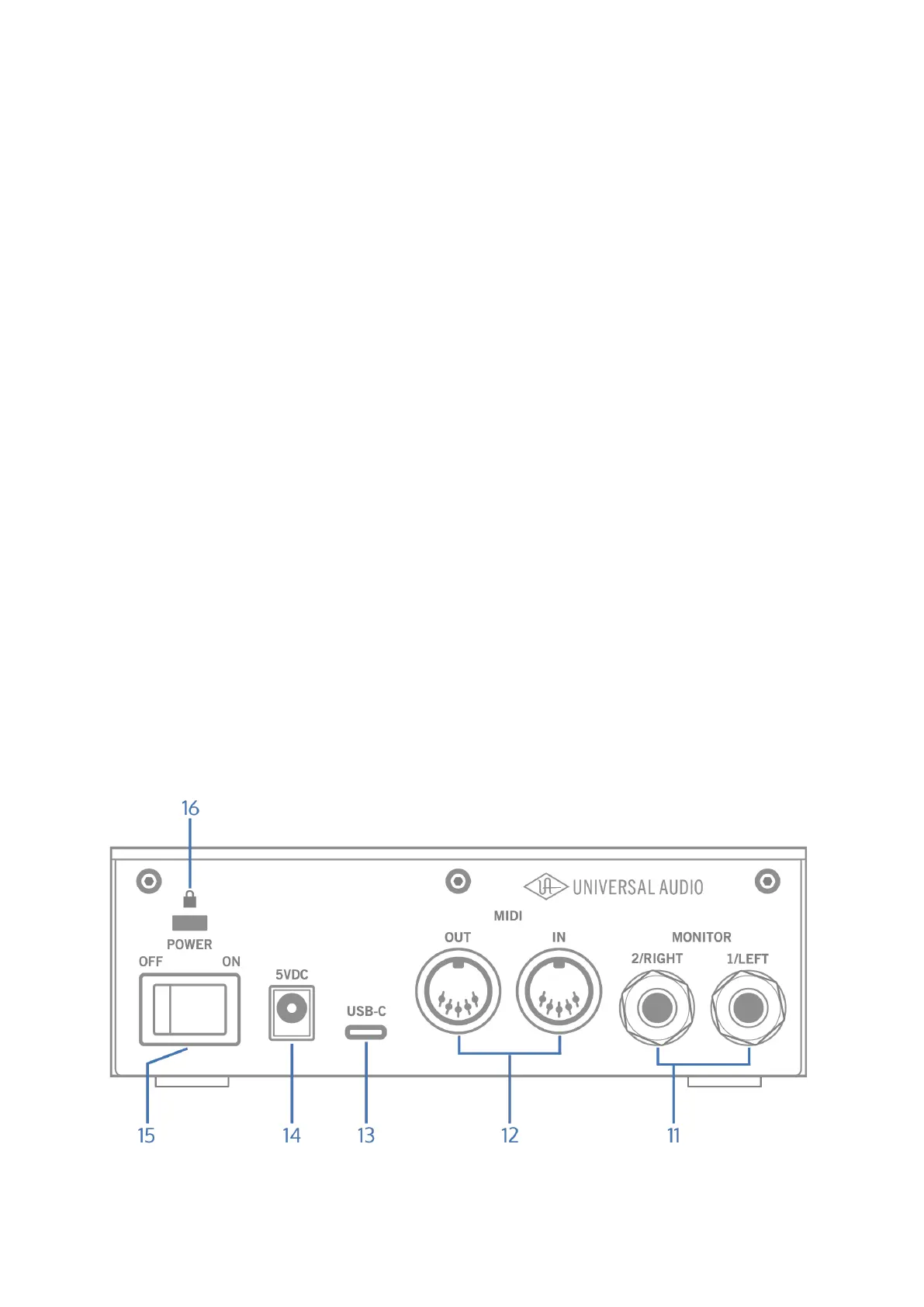
Rear Panel













 To Next Page