REMOVING BEARING
CASE
BOLT
2
1.
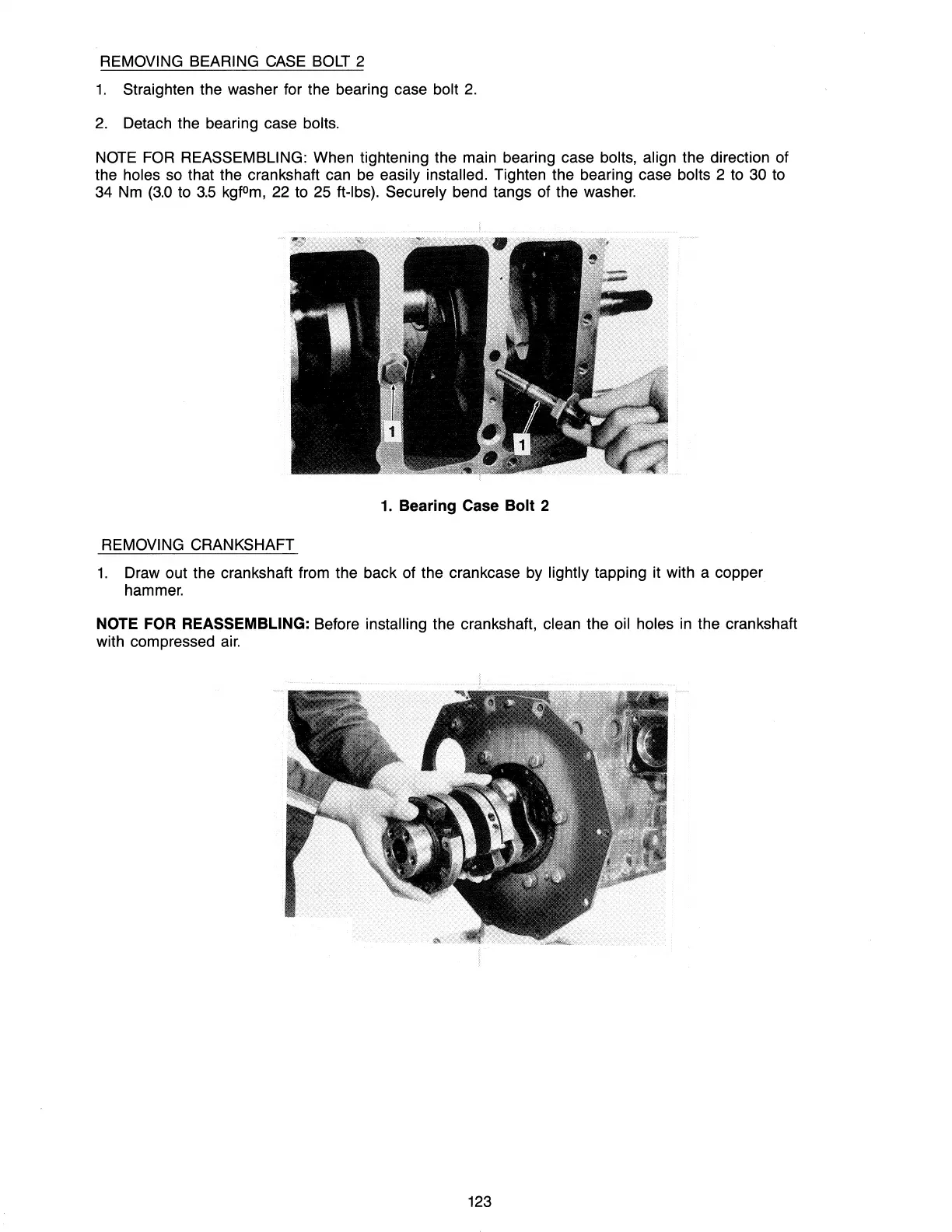
Straighten the washer for the bearing case bolt
2.
2.
Detach the bearing case bolts.
NOTE
FOR
REASSEMBLING: When tightening the main bearing case bolts, align the direction of
the holes
so
that the crankshaft can
be
easily installed. Tighten the bearing case bolts 2 to 30 to
34
Nm
(3.0
to
3.5
kgfOm,
22 to
25
ft-Ibs). Securely bend tangs of the washer.
1. Bearing Case Bolt 2
REMOVING CRANKSHAFT
1.
Draw out the crankshaft from the back of the crankcase
by
lightly tapping it with a copper
hammer.
NOTE FOR REASSEMBLING: Before installing the crankshaft, clean the oil holes
in
the crankshaft
with compressed
air.
123



 To Next Page