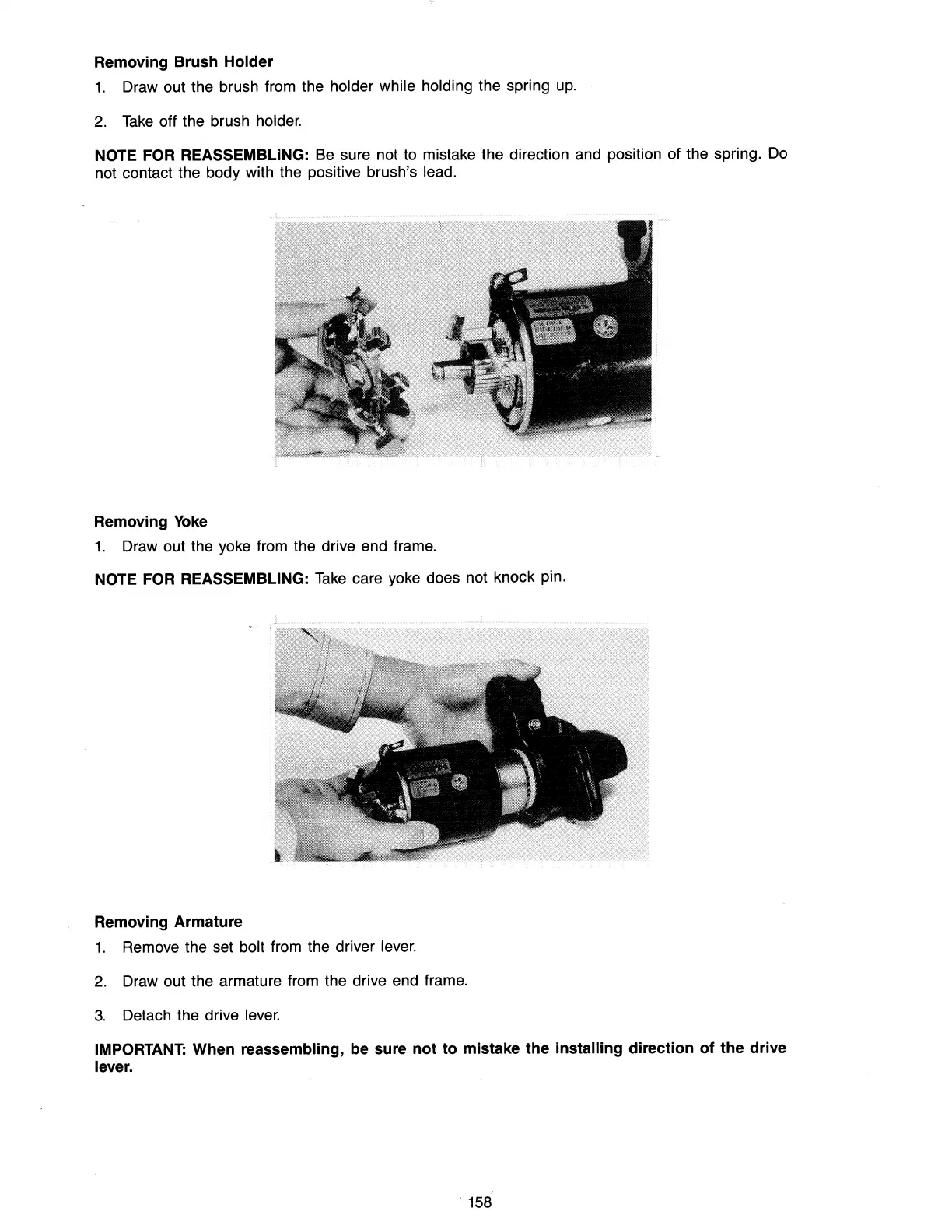
Removing Brush Holder
1.
Draw out the brush from the holder while holding the spring
up.
2.
Take
off the brush holder.
NOTE FOR REASSEMBLING:
Be
sure not to mistake the direction and position of the spring.
Do
not contact the body with the positive brush's lead.
Removing
Yoke
1.
Draw out the yoke from the drive end frame.
NOTE FOR REASSEMBLING:
Take
care yoke does not knock pin.
Removing Armature
1.
Remove the set bolt from the driver
lever.
2.
Draw out the armature from the drive end frame.
3.
Detach the drive
lever.
IMPORTANT: When reassembling, be sure not to mistake the installing direction of the drive
lever.
, 158



 To Next Page