Need help?
Do you have a question about the UPERFECT M160K01 and is the answer not in the manual?
Introductory greeting and purpose of the user manual for the portable monitor.
Lists all items included in the monitor package for user verification.
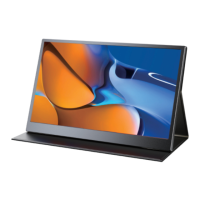
Overview of the portable monitor's features, design, and core functionality.
Details the physical layout and functions of the monitor's ports and control buttons.
Step-by-step guide on how to attach and use the monitor's protective stand case.
Guide for establishing a connection using the Type-C port for signal and power delivery.
Lists compatible laptops and mobile phones for Type-C connectivity.
Instructions for connecting the monitor via HDMI for video and audio signal transmission.
How to configure display modes like Extend, Duplicate, and Second screen on Windows.
Instructions for changing the screen orientation from landscape to portrait mode.
Overview of navigating the OSD menu for various monitor settings.
Details on using the pulley button to adjust brightness, contrast, and other display parameters.
Procedure for saving monitor settings after configuration changes are made.
 General
| Screen Size | 15.6 inches |
|---|---|
| Panel Type | IPS |
| Refresh Rate | 60 Hz |
| Brightness | 300 cd/m² |
| Contrast Ratio | 1000:1 |
| Connectivity | USB-C, HDMI |


 To Next Page