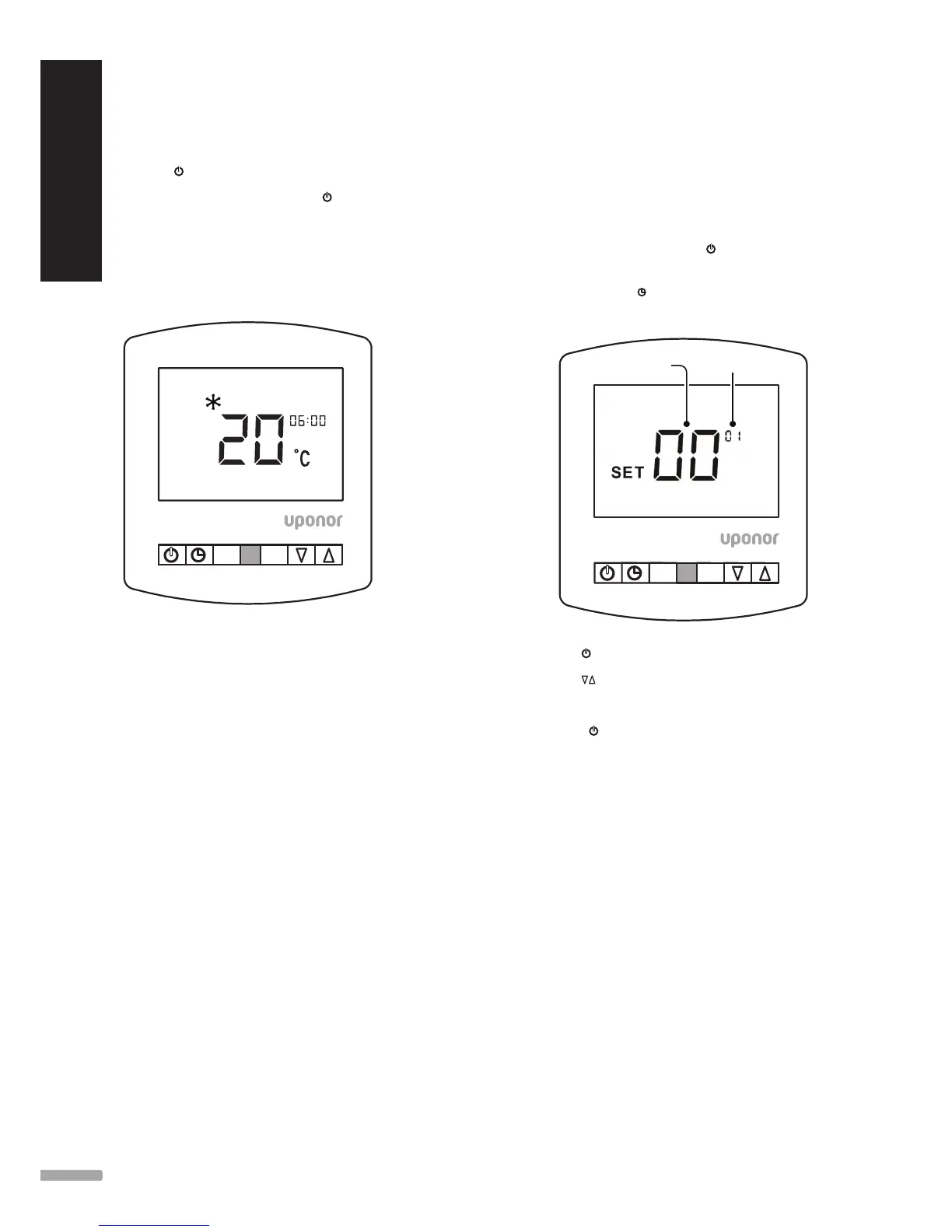
5.10 Frost Protection
To activate frost proctection mode, follow this step:
1. Press
once.
To cancel frost protection mode, press
once again.
In frost protection mode, the thermostat will display
the frost icon and will only turn the heating if the room
temperature drops below the set frost temperature.
For more information, see Feature 04 in section “5.11
Optional Features” on page 12.
Sun
HA
ROOM TEMP
If the heating turns on whilst in frost protection mode,
the flame icon will be displayed.
5.11 Optional Features
The following settings are optional. In most cases they
do NOT need to be adjusted.
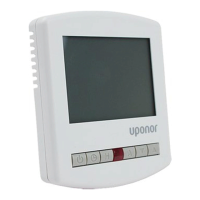
To adjust the optional settings, follow these steps.
1. If applicable, press and hold
to turn OFF the
thermostat.
2. Press and hold
until the display appears as shown
below.
HA
Setting ValueFeature Number
3. Use to cycle through the feature.
4. Use
to change the setting.
5. Press
A to confirm settings.
6. Press
once again to turn the thermostat back ON.
12





 To Next Page