20
Complete Control
MX-1400
Owner’s Manual
Table of Contents
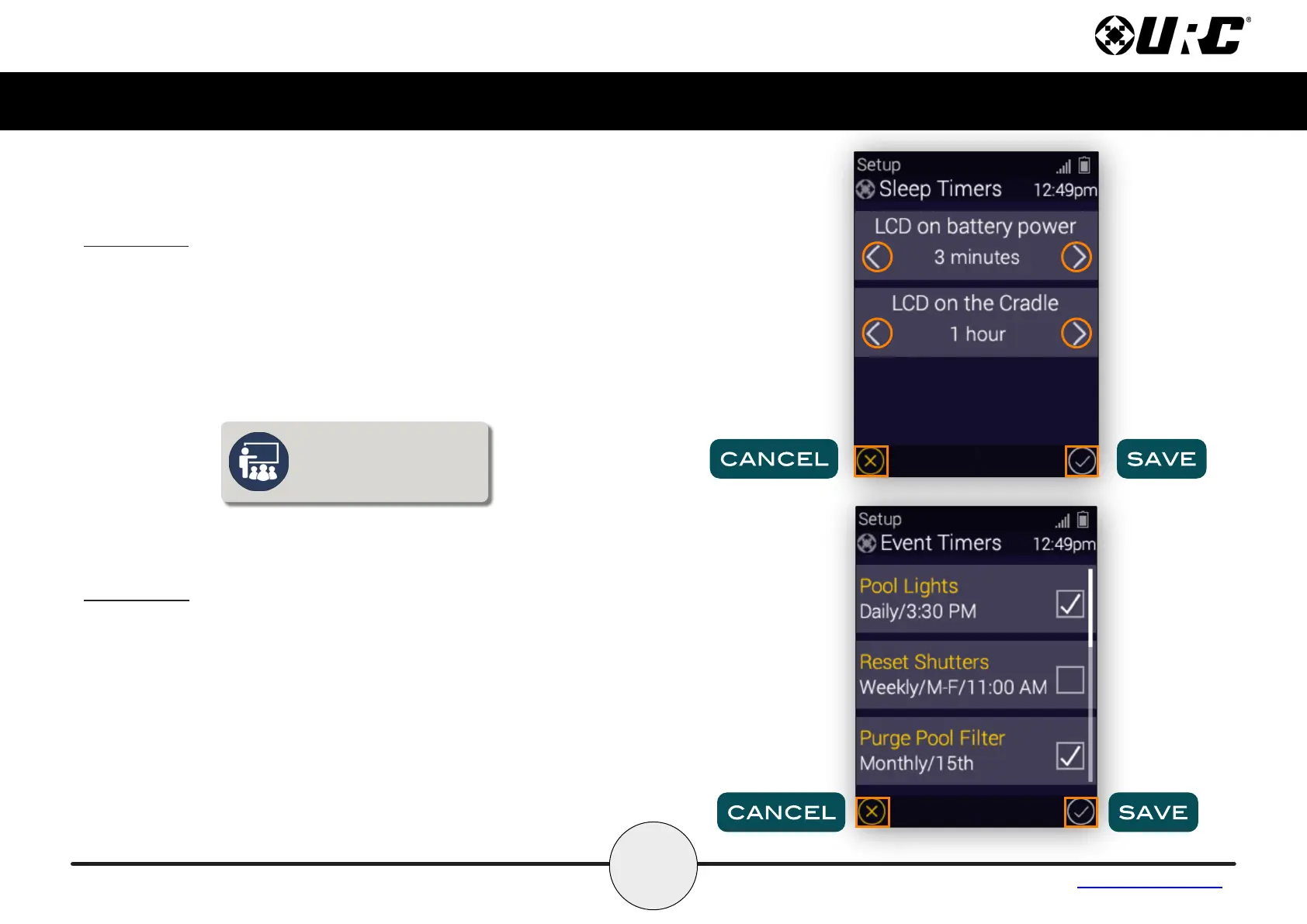
Sleep Timers
Adjust the screen and button sleep times by pressing the adjacent LCD
buttons to increase or decrease the sleep timer.
Once the times have been adjusted, press the Save button. Pressing
Cancel reverts the remote to the last saved setting.
Event Timers
Allows for event timers to be enabled or disabled individually.
Once the timers have been adjusted, press the Save button. Pressing
Cancel reverts the remote to the last saved setting.
These events are setup by the installer in the Complete Control
Programming software. If the Event Timer list is empty, then you can
speak with your installer to have specific events added.
Leaving the remote’s display on
for long periods of time may
reduce your device’s battery life.



 To Next Page