5
Complete Control
MX-1400
Owner’s Manual
Table of Contents
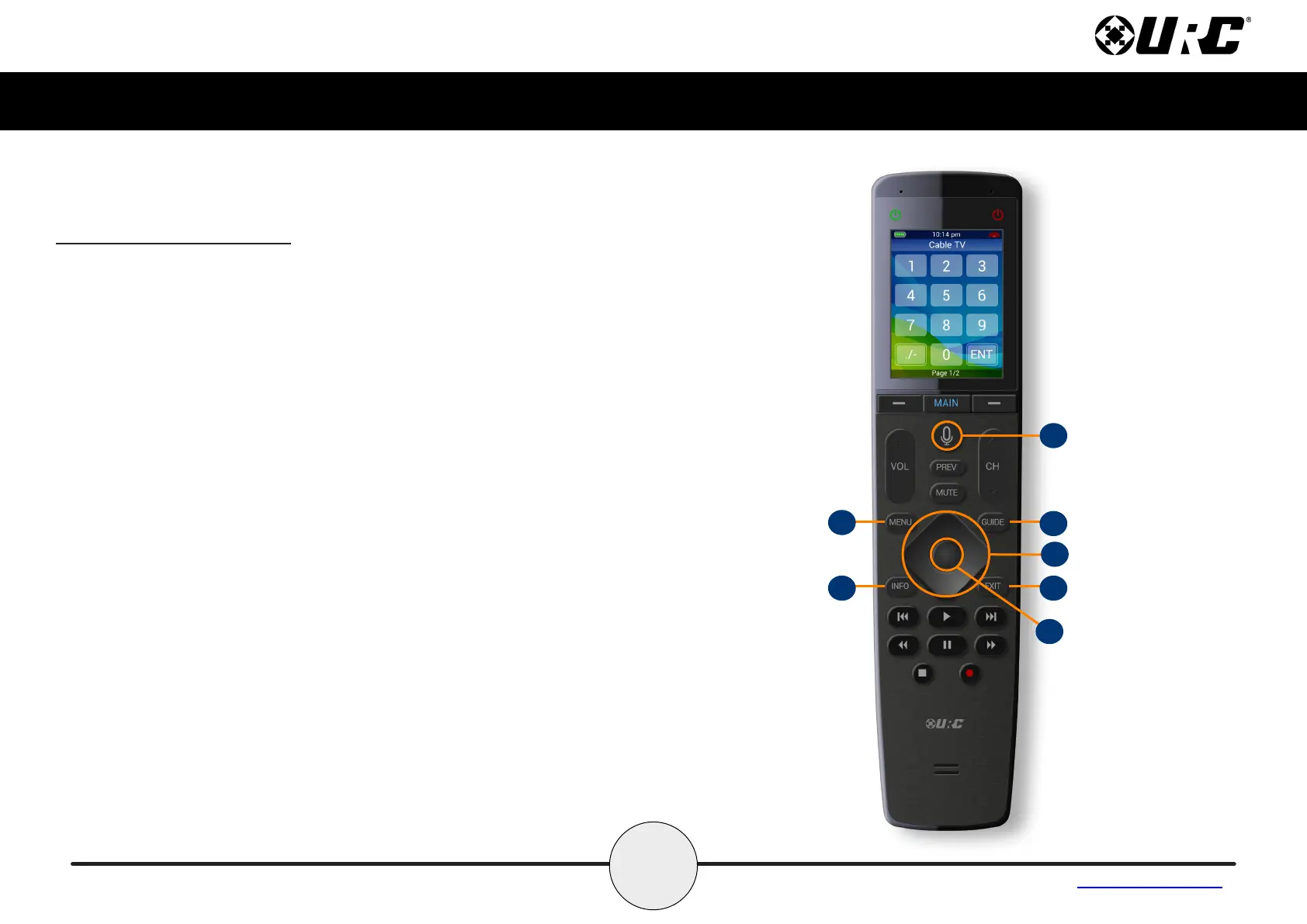
H. Navigation Keys: Comprised of up, down, left, and right. These
buttons are used to navigate through the menus and/or devices.
I. Select: Center button of navigation keys, used to confirm selections
displayed on a viewing device.
J. Menu: Displays the on-screen menu of the active device.
K. Guide: Displays the channel guide for the device’s on-screen display.
L. Info: Displays channel information for the device’s on-screen display.
M. Exit: Closes out any open menus or guides on the display or returns
to the previous menu.
N. Transport Buttons: These are the available buttons:
G
K
H
M
I
J
L
Using the MX-1400 (cont’d)



 To Next Page