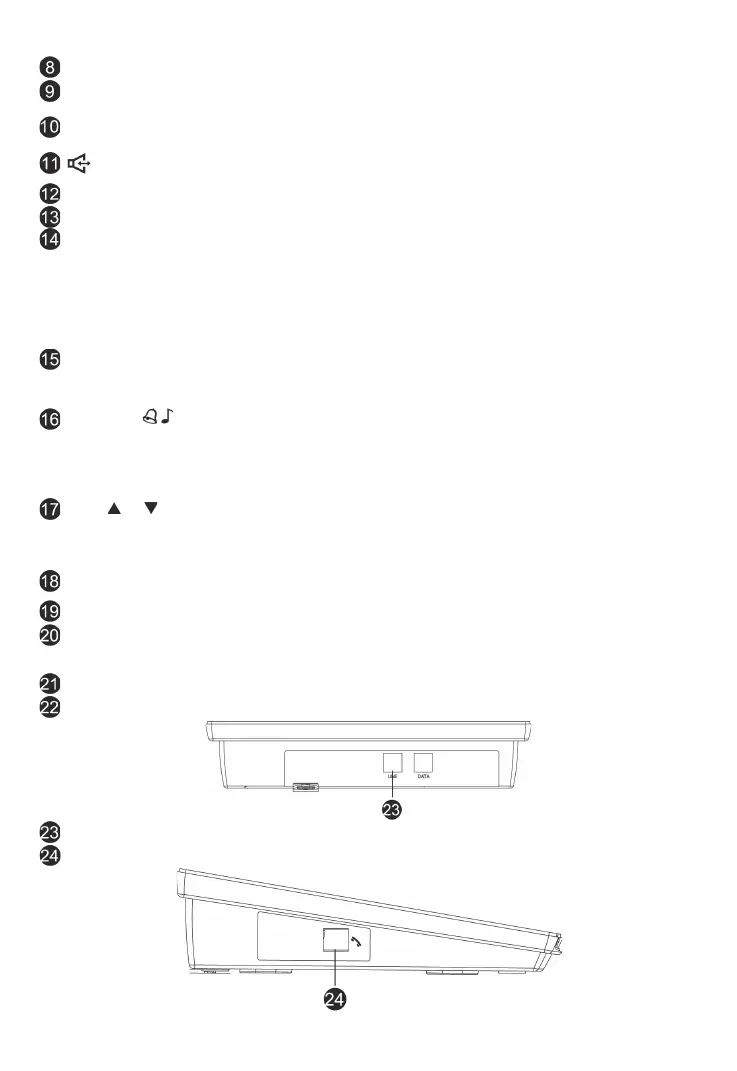
16
DS4057-001C
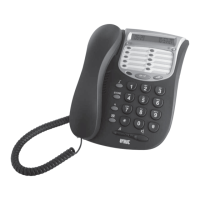
R .................................................................. For PBX line transfer use.
RP/P ............................................................ Press to redial and review the last dialed
number.
Speed dial buttons ..................................... Phone numbers can be stored for speed
dialing.
, Incoming Call Indication ...................... Will fl ash when the unit has Incoming Call, or
press to use speakerphone.
Dialing Key (0-9,
*
, #) ................................... Dial phone numbers and extensions.
Speaker ....................................................... For Ringer & speakerphone.
Del/Set .........................................................a. Hold either button pressed for 3 seconds
to open the confi guration memory (with han-
dset on-hook).
b. Press either button to delete the last digit
entered during pre-selection.
c. Press either button to delete the caller ID/
calls made list.
VIP ............................................................... Press to set or remove the VIP numbers. VIP
numbers will be kept in Caller ID list all the
time.
AUTO RD/ (Auto Redial/Change
Ring Tone) ................................................... a. Press to auto redial the last dialed
number.
b. Press and hold for 3 seconds to change
the ring tone (16 melodies).
CLID or ................................................ a. Press to review caller IDs.
b. Review menu to select telephone function
settings.
c. review phone book.
Handset Hook Guide ................................... Turn 180 degrees to hang up the handset
when the unit is mounted on the wall.
Hook On/Off switch ..................................... Press to end a call.
Handset Hook .............................................. When the unit is mounted on the wall, this is
used to hang up the handset without han-
ging up the line.
Handset cord ............................................... Connect the handset to the base unit.
Handset ....................................................... For speaking & listening.
Line Cord Jack ............................................ Connect telephone to wall jack.
Handset Jack............................................... To connect handset.





 To Next Page