54
CHARGE CONTROLLER
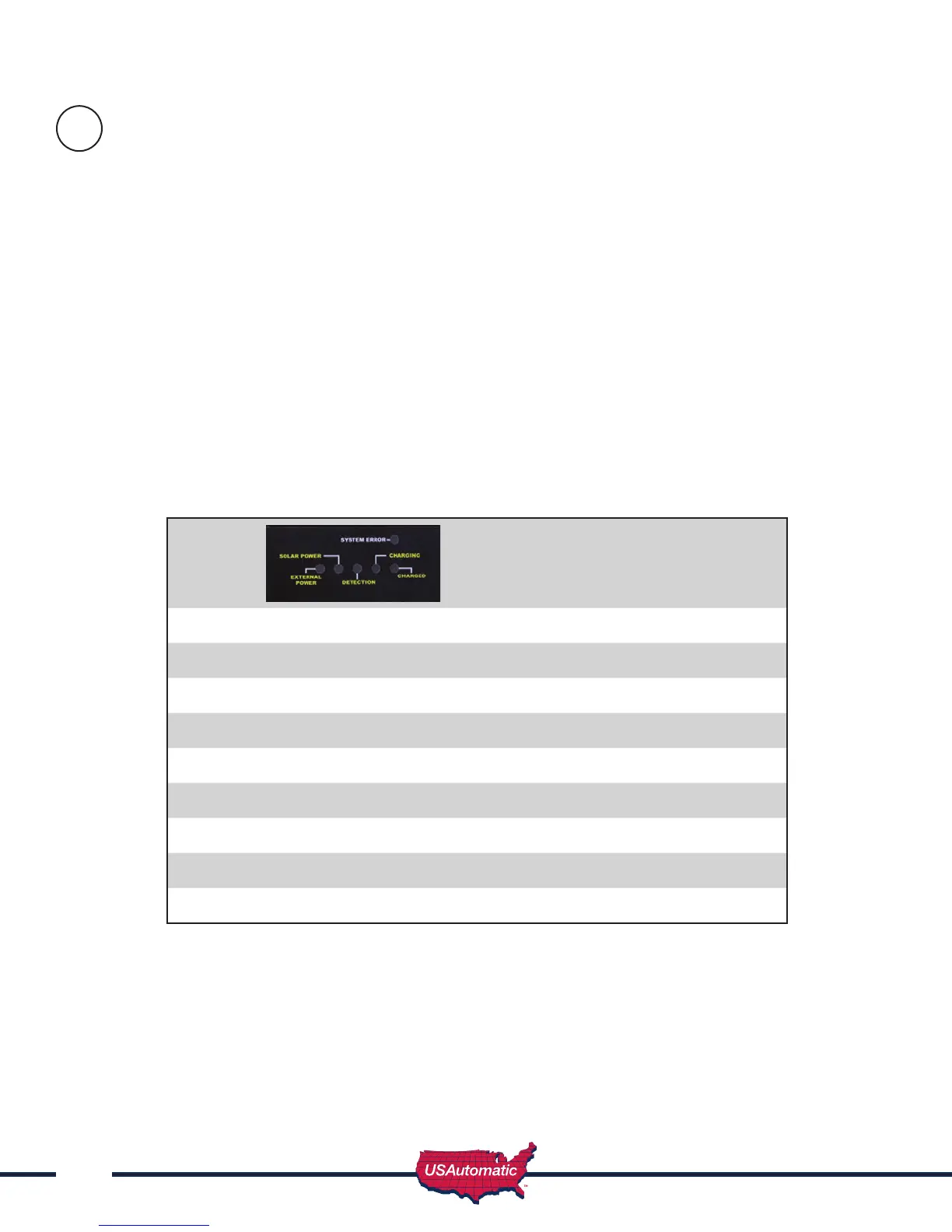
L.E.D. DESCRIPTIONS
EXTERNAL POWER ADAPTOR - Illuminates continuously while power from A.C. Power Supply
Adaptor is sensed.
SOLAR PANEL - Illuminates continuously while power from Solar Panel is sensed.
DETECTION - If illuminated for longer than 3 seconds check connection on battery.
CHARGING - Continuous or ashing indicates charging – refer to Charge Algorithm Section,
for further details.
CHARGED - On continuously when input power is present and battery fully charged. Flashes when
battery capacity is low.
SYSTEM ERROR - If ashing, the charger has entered Failure Mode. Disconnecting power will
reset charger, but if source of failure is not corrected, Failure Mode will occur again.- refer
to the following Table to Decode the Error Type:
L.E.D.s (First 4 L.E.D.s from Left)
1st 2nd 3rd 4th
Wrong Battery Voltage Off Off Off Flash
Reverse Battery Connection Off Off Flash Off
Thermal Runaway Condition Off Flash Off Off
Charge Time Monitor - 1 Off Flash Flash Off
Charge Time Monitor - 2 Off Flash Flash Flash
Excessive Battery Drain Flash Off Off Off
Failed Pre-Qualication Test -1 Flash Off Off Flash
Failed Pre-Qualication Test -2 Flash Off Flash Off
NOTE:
- If External power and Detection lights are ON then the battery is not connected to the charger.
- If Solar power and Detection lights are ON then the battery is not connected to the charger.
Verify that the wiring harness is connected to the charger output located on bottom side of the
charger.
C


 To Next Page