EasyManua.ls Logo

USAutomatic SENTRY 300 S - User Manual

USAutomatic SENTRY 300 S
48 pages
Print Icon
To Next Page IconTo Next Page
Loading...
Installation/Owners Manual
Battery Powered Solar or AC Charged
MADE IN THE USA
www.sentrygateopener.com
Designed to
open all types
of gates in all
kinds of places.
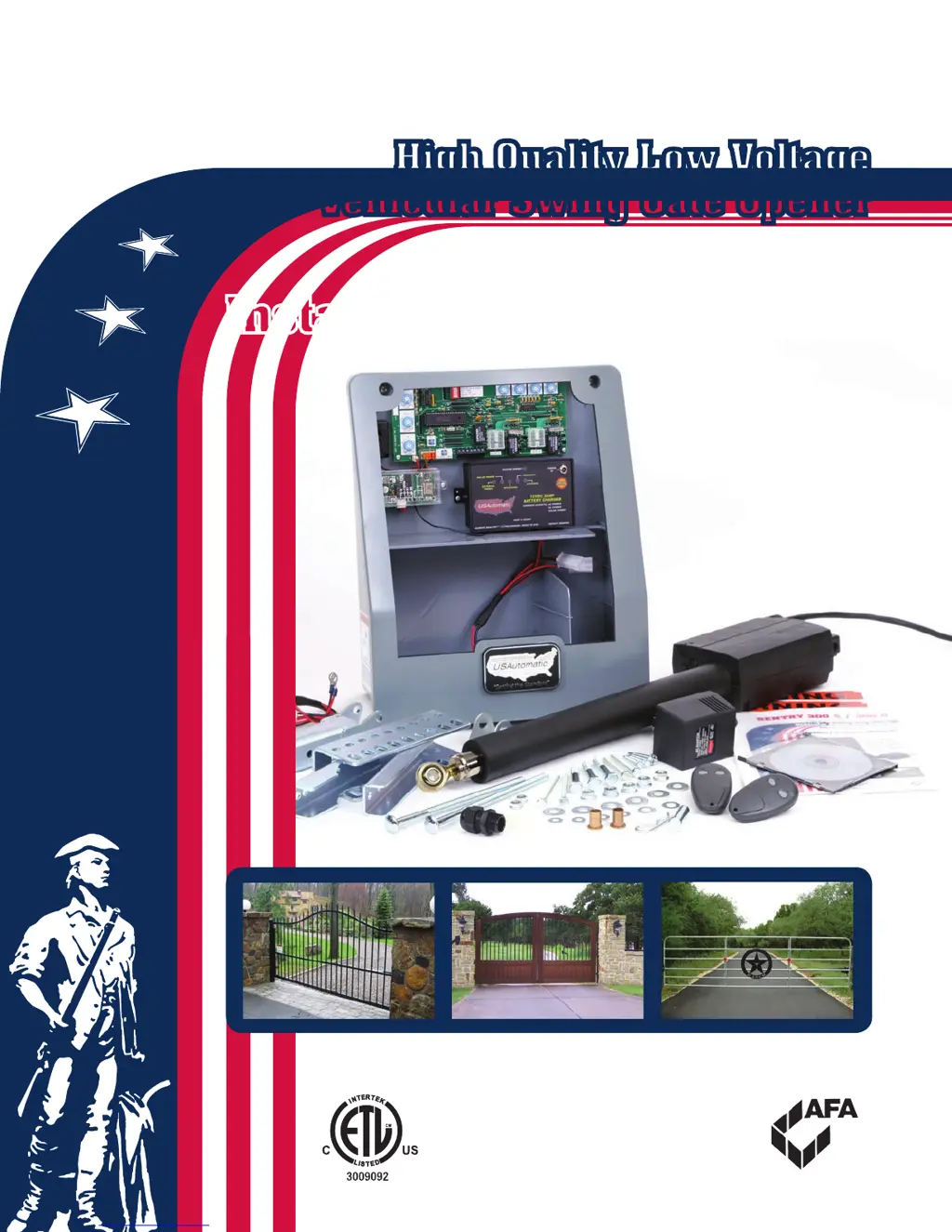
High Quality Low Voltage
Vehicular Swing Gate Opener
High Quality Low Voltage
Vehicular Swing Gate Opener
3
Year
Warranty
SENTRY
®
300 S / 300 D

Questions and Answers

  • A
    Alexander GreenAug 14, 2025
    How to fix USAutomatic Gate Opener remote control not working?
    • D
      Daisy CooperAug 14, 2025
      First, remove and reconnect the J1 connector from the control board, then test the transmitter. If you don't hear a click, ensure you've completed the "Programming transmitter and Receiver" steps. Check and replace the transmitter battery if necessary. If the receiver light isn't on, ensure connector J1 is correctly connected to the control board. If the issue persists, the control board may be faulty.
  • E
    emilyloganAug 17, 2025
    What to do if my USAutomatic SENTRY 300 S Gate Opener won't automatically close?
    • U
      uyuAug 17, 2025
      First, press the “Open/Close Command “push button to confirm the gate closes manually. Check that control switch number 1 is turned “ON”. If a photo eye or safety accessory is connected to J2, verify its correct operation. Also, if the receiver P2 relay is set for latch open mode, press transmitter button 2 once, then transmitter button 1 once to see if the gate closes.
  • E
    Emily CochranAug 25, 2025
    What to do if USAutomatic SENTRY 300 S gate 1 and gate 2 won't operate in dual gate installation?
    • J
      Joseph KellyAug 25, 2025
      Ensure that control switches 3 and 4 are turned “ON”. Verify that the red and black wires on the Plug N Go harness are correctly connected to the battery. Check the battery charge; if you hear a clicking sound from the control board when pressing the “Open/Close Command” push button, the battery is likely dead. If the battery tests good, the control board is likely the problem.
  • A
    Ariana MartinAug 27, 2025
    Why does my USAutomatic SENTRY 300 S auto open instead of auto closing?
    • T
      Tamara SimmonsAug 27, 2025
      The open time can be adjusted using the auto close timer. If installed in a pull-to-open configuration, ensure control switch number 2 is turned “OFF”. Readjust the close limit for gate 1 or gate 2 to the correct stop position. Check the linear actuator harness for cuts or nicks, as this could affect the current sense circuit on the control board. Also, verify the correct installation of the gate bracket and linear actuator bracket, correcting as needed.
  • T
    Tammy SchneiderSep 3, 2025
    Why does my USAutomatic Gate Opener stop and reverse after a few seconds?
    • J
      Jeffery MartinezSep 3, 2025
      The sensitivity circuit may be detecting an obstruction. Check the gate's path for any obstructions. Also, verify that the hinges are not binding and the gate isn't contacting the ground. Adjust the sensitivity setting toward the minimum, ensuring that the Gate 1 and Gate 2 adjustments are set the same on a single gate installation.
  • P
    patricia51Sep 6, 2025
    What to do if USAutomatic SENTRY 300 S photo-eye won't reverse gate or hold it open?
    • J
      jacksongregorySep 6, 2025
      Begin by inspecting the accessory wiring. Ensure the accessory is wired correctly, with the N/O wire connected to J2 pin 5 on the Sentry control board. Verify the control switch “Operating Direction Reverse” switch is set to the correct position.
  • A
    Amy SmithSep 10, 2025
    Why is the USAutomatic Gate Opener transmitter range so short?
    • A
      amanda03Sep 10, 2025
      Try replacing the batteries in the transmitter. Make sure the receiver antenna (the short wire connected to the receiver) is not twisted or rolled up. Radio frequency interference may be obstructing the signal from the transmitter to the receiver.
  • L
    Logan WoodsNov 20, 2025
    How to troubleshoot USAutomatic Gate Opener gate 1 or gate 2 not working in dual gate setup?
    • J
      Jennifer HunterNov 20, 2025
      Identify the gate that isn't working and ensure its control switch is turned “ON”. Try swapping the Gate 1 and Gate 2 linear actuator connectors on the control board; if the problem moves to the other gate, the control board is faulty. If the problem remains on the same gate, inspect the wiring harness for cuts, nicks, or bad splices. If the problematic gate is on the opposite side of the drive from the control box (Gate 2), verify the cable under the drive is in good condition. Check for voltage when the gate should be operating; if present, the linear actuator is likely the issue. If no voltage is present, check the voltage on the same wires at the control box. If voltage is present at the control box, the cable in the ground is damaged. If no voltage is present in the control box, reche...
  • K
    Kathleen TownsendDec 1, 2025
    How to fix USAutomatic SENTRY 300 S Gate Opener single gate not operating?
    • M
      Morgan HallDec 1, 2025
      Open the control box cover and press the “Open/Close Command” push button to try operating the gate. If that doesn't work, press the “Reset” push button located above the open close command, then push the “open/close command” push button again. Listen for a clicking sound when pressing the “open/close command” push button; if you hear it, check that the correct control switch is “ON” for Gate 1 or Gate 2. If the switch setting is correct, suspect low power due to low battery voltage or a bad battery connection. Load test the battery and replace it or fix the connection. Remove the receiver connector from the J1 connector, press the “Open/Close Command” button, and see if the gate operates. Reconnect the receiver and test again. Disconnect the linear actuator connector and connect it to the...

Summary

INTRODUCTION

Safety Information

Covers essential safety guidelines for operating and installing the Sentry gate opener.

SAFETY INSTALLATION INFORMATION

Secondary Entrapment Devices

Recommends and explains the use of secondary entrapment safety devices for UL325 compliance.

WARNING TO REDUCE THE RISK OF INJURY OR DEATH

PARTS INVENTORY

INSTALLATION

Mounting Site Review

Assess the installation site for gate opener mounting and servicing requirements.

Determine Proper Brackets and Opening Method

Select appropriate mounting brackets and identify the gate's swing direction for installation.

Sentry Plug N Go Harness

Connect the Plug N Go harness to the charge controller and battery for simplified wiring.

Install Battery

Install the required 12-volt battery into the control box compartment.

Install Charging System - AC or Solar

Connect the AC transformer or solar panel to the charge controller for battery charging.

Sensitivity Adjustments and Entrapment Alarm

Adjust force sensitivity and understand the entrapment alarm system for safety.

Adjusting Gate 1 and Gate 2 Sensitivity

Fine-tune gate force sensitivity to ensure safe operation and prevent false reversals.

Extend and Retract Limit Adjustments

Set the fully open and closed positions for the gate using limit adjustment dials.

Operating Gate for the First Time

Perform initial gate operation and check for correct movement and stop positions.

Making Final Adjustments

Make final adjustments to gate limits and ensure smooth operation after initial testing.

Programming Transmitter and Receiver

Program the remote transmitter and receiver for gate operation and security.

Sentry 300 D Gate 2 Installation

TROUBLESHOOTING

My single gate will not operate: (connected to Gate I or Gate II)

Troubleshooting steps for when a single gate installation fails to operate.

Gate 1 or Gate 2 will not operate. Dual gate Installation

Diagnoses issues when only one gate operates in a dual gate setup.

Gate 1 and Gate 2 will not operate. Dual gate installation

Troubleshoots problems where neither gate operates in a dual gate installation.

Gate 1 or Gate 2 (Gate 1 and Gate 2 if dual gate) operating speed has slowed down

Addresses issues of reduced operating speed for one or both gates.

Single or Dual gate installation will not automatically close

Resolves problems where the gate fails to close automatically.

Transmitter (remote control) will not operate the gate

Addresses issues where the remote transmitter fails to operate the gate.

Photo-eye or other safety accessory will not reverse the gate when closing or hold the gate open

Resolves problems with safety accessories failing to reverse or hold the gate.

WARRANTY AND REPAIR INFORMATION

USAutomatic SENTRY 300 S Specifications

General IconGeneral
BrandUSAutomatic
ModelSENTRY 300 S
CategoryGate Opener
LanguageEnglish

Related product manuals