EasyManua.ls Logo

USAutomatic PATRIOT I - User Manual

USAutomatic PATRIOT I
72 pages
Print Icon
To Next Page IconTo Next Page
Loading...
Heavy Duty Battery Powered Solar or AC Charged
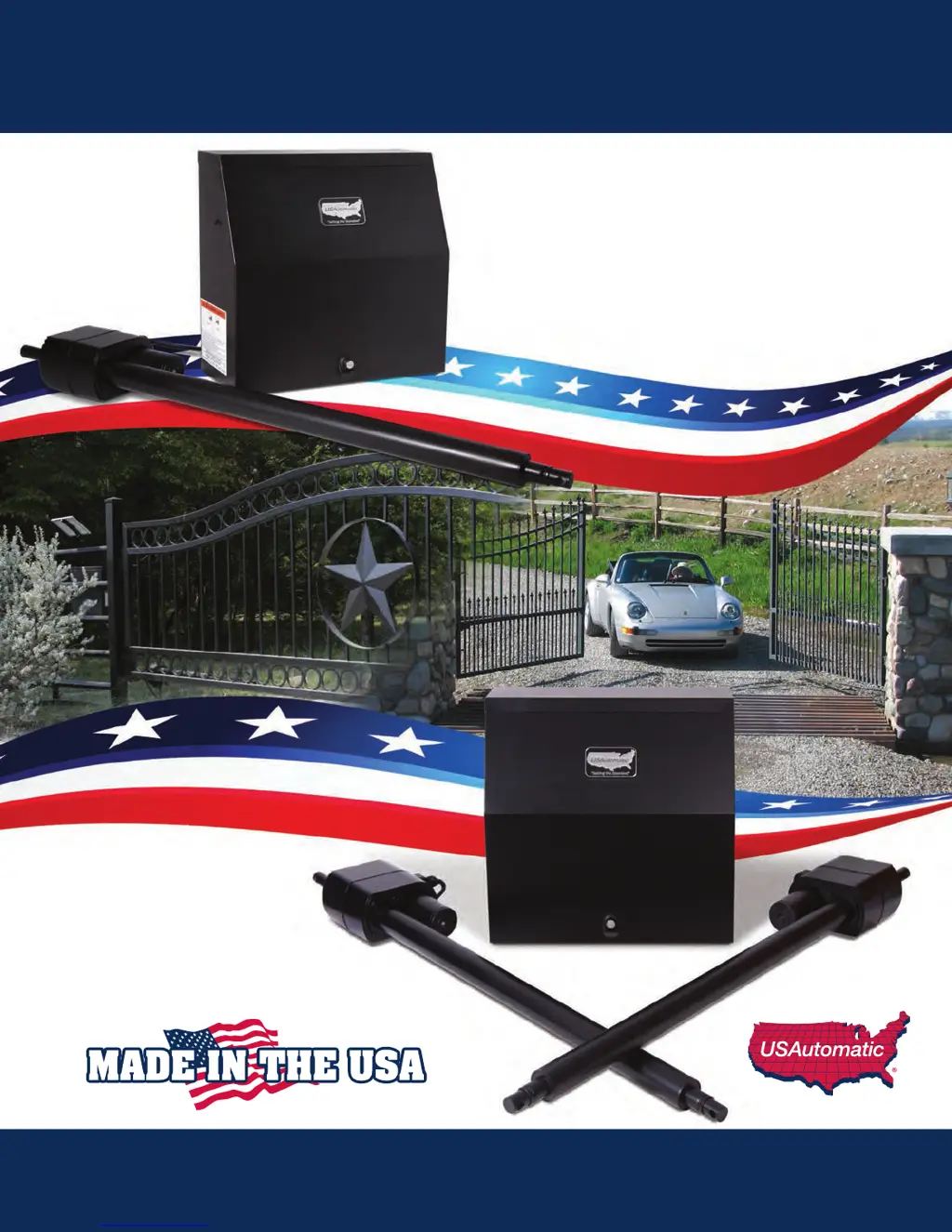
PATRIOT I
Single Swing Gate Operator
PATRIOT II
Dual Swing Gate Operator
Installation/Owners Manual

Table of Contents

Other manuals for USAutomatic PATRIOT I

Questions and Answers

  • A
    Amy HamiltonSep 13, 2025
    Why won't my USAutomatic PATRIOT I battery stay charged?
    • P
      Patricia AshleySep 13, 2025
      The most common reason a USAutomatic Gate Opener battery (AC or Solar Charged) won't stay charged is because the battery is bad. It is highly recommended that the battery be load tested at a battery store to verify that it is good.
  • M
    Mary ThorntonAug 23, 2025
    How to fix USAutomatic PATRIOT I remote not working?
    • K
      Kimberly HuynhAug 23, 2025
      If your USAutomatic Gate Opener remote isn't working, ensure the green J2 connector on the control board is securely connected. Replace the battery in the transmitter. Also, check that the dipswitches in the transmitter are set identically to those in the receiver. If the “Push Button Input” LED comes on but the gate doesn't operate, verify the 15-amp fuse on the Patriot control board is not blown. Finally, check if a safety accessory connected to the green J2 connector is active and correct the problem.
  • S
    Scott WaltersAug 25, 2025
    What to do if my USAutomatic PATRIOT I won't close automatically?
    • D
      Dr. Jacob Bailey DDSAug 25, 2025
      If your USAutomatic Gate Opener isn't closing automatically, check that DS1 switch 1 is turned on. Ensure that only one of DS1 switches 3 or 4 is on, turning off the one not in use. Adjust the limit switches if needed. Also, try disconnecting the green J2 connector from the control board and pressing the “Open/Close Command” push button to close the gate. Verify that any accessory connected to the J2 connector that is activated (LED is on) is working correctly.
  • A
    Alexander DavidAug 29, 2025
    Why does the USAutomatic Gate Opener fuse blow when opening or closing?
    • R
      Robert KingAug 29, 2025
      If the 15 amp fuse on your USAutomatic Gate Opener control board blows when giving an Open/Close command, it could be due to something preventing the gate from moving, incorrect limit switch settings, or a wiring problem. Open the control box to access the Patriot control board. Adjust the limit switches if the open limit LED is on when the gate is closed, or if the close limit LED is on when the gate is open. Check all splices and ensure the actuator connector is properly connected at the control board. If problems persist, contact the factory for troubleshooting.
  • J
    John GarciaAug 31, 2025
    What to do if my USAutomatic Patriot II dual gate won't operate?
    • B
      Brian WilliamsAug 31, 2025
      If your USAutomatic Patriot II dual gate won't operate, follow steps 1 through 6 from the single gate troubleshooting. Disconnect both actuator connectors (X1 and X2), then turn off switch 4 and turn on switch 3 on the DS1 dipswitches. Press the “Open/Close Command” button to verify gate operation. Disconnect the actuator plug and connect the other actuator plug into the X1 connector, then press the “Open/Close Command” button to verify proper operation. Revert DS1 switch 3 off and switch 4 on, then repeat steps 2 and 3 using the X2 connector. Check wiring splices for moisture and ensure correct wiring of the slave actuator.
  • J
    Jeanne AndersonSep 1, 2025
    Why does my USAutomatic gate stop and reverse direction?
    • D
      David BowersSep 2, 2025
      If your USAutomatic gate begins to open or close but stops and reverses after a few seconds, the sensitivity adjustment potentiometer may not be set correctly. Locate it and turn it clockwise. If your gate requires a setting above 8, it likely has a mechanical problem that needs correction.
  • I
    irodriguezNov 26, 2025
    How to troubleshoot a USAutomatic Patriot I Gate Opener that won't operate?
    • L
      Lori WhitakerNov 27, 2025
      To troubleshoot a USAutomatic Patriot I Gate Opener that won't operate: remove the control box cover and press the “Open/Close Command” push button. If that doesn't work, press the “Reset” push button and then push the “Open/Close Command” button. Check and replace the 15-amp fuse if it's blown. Verify the dipswitch settings are correct for the actuator connection (Master or Slave). Charge or replace the battery, testing with jumper cables from a 12vdc vehicle battery. Adjust the limit switch if both limit LEDs are on in the closed position. Locate and repair or replace any activated accessory if its LED is on. Disconnect the green J2 connector and press the “Open/Close Command” button; if it operates, check step 4b. Ensure DS1 switch 8 is off. If needed, switch the actuator connectors (X1...
  • R
    Randall SheltonSep 15, 2025
    What to do if the Charger / Charge Controller “Detection” Light is ON on my USAutomatic Gate Opener?
    • J
      James MayerSep 15, 2025
      If the “Detection” Light is ON on your USAutomatic Gate Opener's charger or charge controller, this indicates that the battery is not connected to the charger / charge controller. Check the wiring harness connection to the charger / charge controller.
  • J
    Jose SanchezSep 12, 2025
    Why USAutomatic gate opens but won't close using transmitter?
    • J
      Jacob BurnettSep 12, 2025
      If your USAutomatic gate opens using the transmitter but won't close (Low Current Receiver only), the P2 relay may be programmed to latch mode. Refer to page 21 to reset the receiver P2 relay to momentary mode. Also, return to troubleshooting section 4 and perform steps 1-6.
  • S
    Shawn MarshSep 8, 2025
    How to fix Oracle Remote/Transmitter not operating USAutomatic gate?
    • M
      Melissa HarveySep 8, 2025
      If your Oracle Remote/Transmitter will not operate the gate, verify the wiring from the DFGCU receiver to J5 is not damaged. Replace the batteries in the remote/transmitter if necessary. If problems persist, call the factory for help.

Summary

Safety and Product Information

General Safety Precautions

Critical warnings and guidelines to prevent injury or death during gate operation and maintenance.

Safety Installation Information

Guidelines for safe installation, UL325 classes, and secondary entrapment devices.

Installation Guide

Patriot Control Board Overview

Identifies key components like dip switches, connectors, and indicators on the control board.

DSI Function Dip Switches (DS1)

Details the functions and factory settings for the DS1 dip switches.

DS2 Function Dip Switches

Details the functions and factory settings for the DS2 dip switches.

Sensitivity Adjustments and Entrapment Alarm

Explains current sense adjustments for safety and the entrapment alarm function.

Initial Gate Connection and Operation

Steps to connect actuator cables and perform the first gate operation.

Operation, Maintenance, and Troubleshooting

Final Adjustments and Calibration

How to make final adjustments to limits and sensitivity for optimal performance.

Transmitter and Receiver Programming

Instructions for programming transmitters and receivers for gate operation.

Troubleshooting Introduction and Features

Overview of troubleshooting features like LEDs, beeper, and command buttons.

Troubleshooting: Single Gate Not Operating

Steps to diagnose and resolve issues when a single gate fails to operate.

Troubleshooting: Dual Gate Not Operating

Steps to diagnose and resolve issues when a dual gate system fails to operate.

Troubleshooting: Gate Operates Slowly

Diagnosing the cause of slow gate movement, often related to battery or motor issues.

Troubleshooting: Gate Reverses Direction Unexpectedly

Resolving problems where the gate reverses unexpectedly during operation.

Troubleshooting: Transmitter Not Operating Gate

Steps to resolve issues when the transmitter fails to operate the gate.

Troubleshooting: Safety Accessories Malfunction

Diagnosing why safety accessories like photo eyes are not reversing the closing gate.

Appendix and Warranty

Limited Warranty Information

Details the product warranty period, coverage, exclusions, and service contact.

USAutomatic PATRIOT I Specifications

General IconGeneral
Motor TypeDC
Max Gate Length20 feet
Operating Voltage24VDC
Battery BackupYes
Power SourceAC or Battery
Control TypeRadio Remote Control

Related product manuals