26
Connect Power Source to Smart Charger/
Charge Controller (Transformer or Solar Panel Kit)
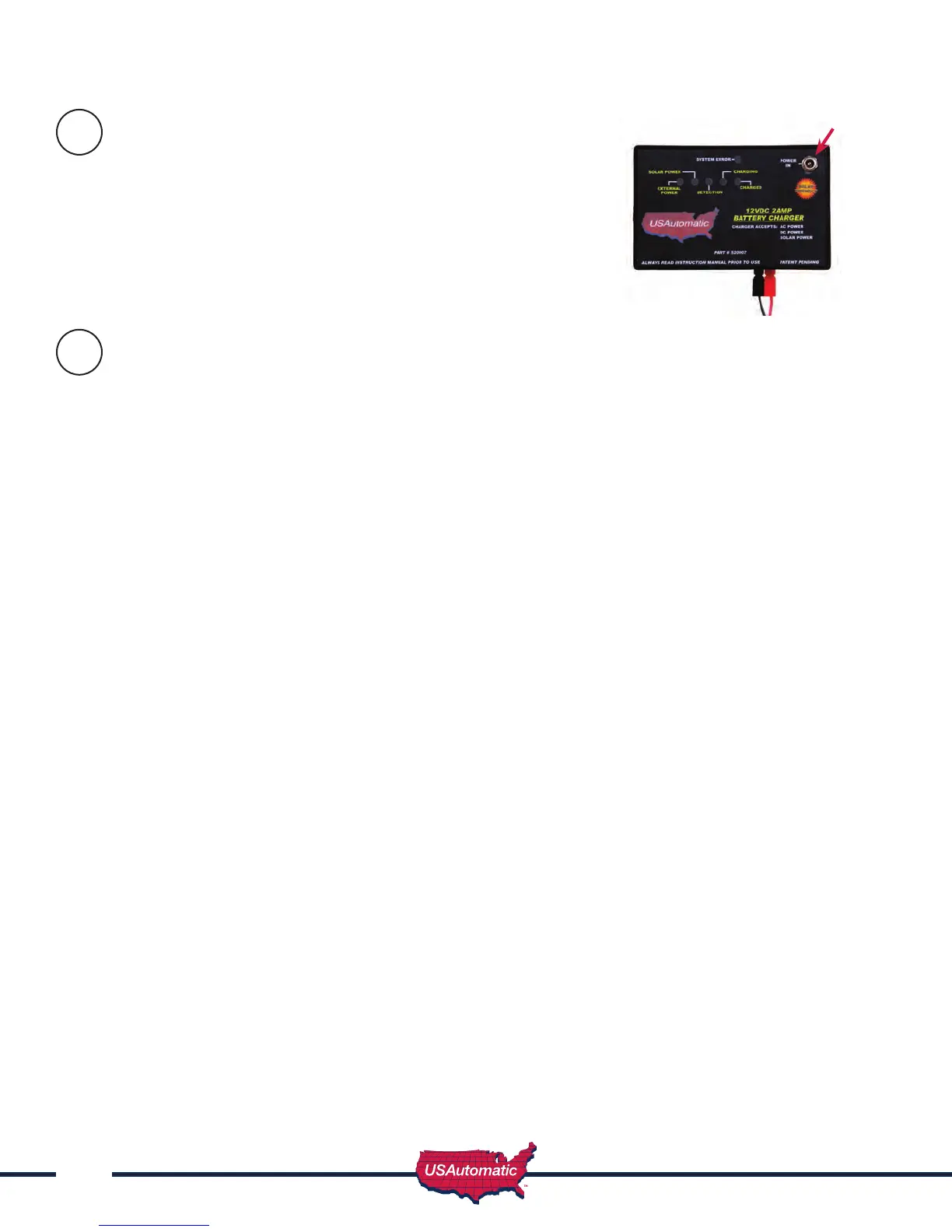
The charger / charge controller accepts inputs from either the AC
transformer or the solar panel. The transformer and solar panel
come with a DC plug for easy installation. Once the charge device
is selected and installed connect the DC plug into the charge
controller “Power In” located in the upper right corner of the
charge controller (see gure).
Charge Controller Operation Check
Once the charge device is plugged into the charge controller verify the following:
Transformer:
1. Charge light ashes for 3 seconds and goes off
2. External power and detection lights come on
3. Detection light stays on for 3 seconds, then charging light comes on
Solar Panel:
1. Charge light ashes for 3 seconds and goes off
2. Solar power and detection lights come on
3. Detection light stays on for 3 seconds, then charging light comes on
NOTE: Most batteries will not be completely charged when rst connected and the charging
light should come on when charge controller is rst connected. The fully charged light will
come on once battery is fully charged.
When using a solar panel, the charge controller is designed to only charge the battery when there
is enough sun to do so. If there is no sun, then the lights on the charge controller should be “OFF”.
This feature reduces the drain on the battery in solar installations. If transformer is installed, lights are
operational at all times.
Charge Device
plugs in here
16
17



 To Next Page