18
REMOVING THE RUBBER ROLLERS
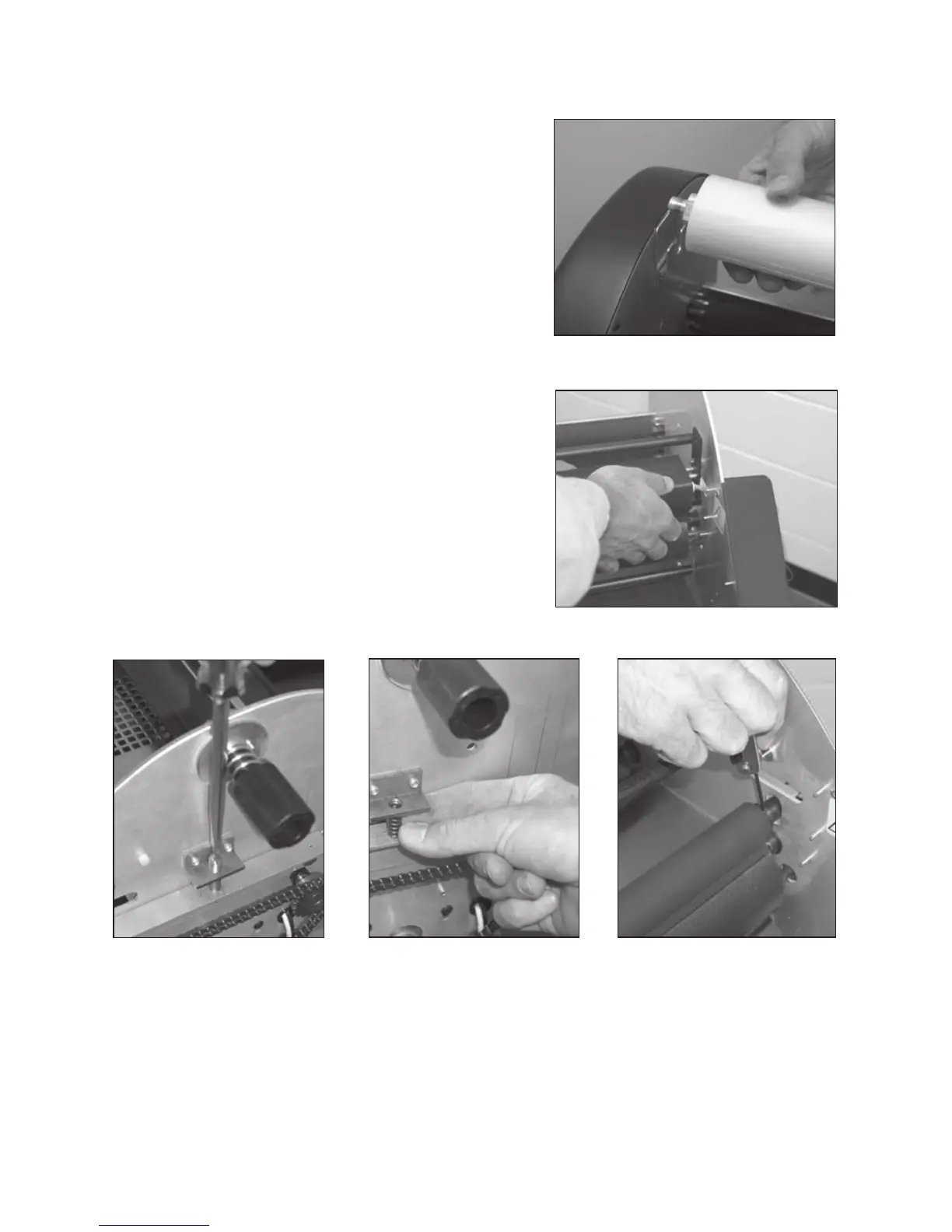
Photo 18-1
NOTE: Only remove rollers if they are cut or in poor
condition.
NOTE: The following procedure removes all 4 rollers.
In certain instances, it is not necessary to remove all 4
rollers,
therefore, remove as required.
STEP 1:
Remove all film from laminator. Photo 18-1.
STEP 2:
Unplug laminator. Make sure it is cool.
STEP 3:
Remove the side housing on both sides of the laminator.
STEP 4:
Remove the top heat shoe. Photo 18-2.
Refer to diagram and instructions on page 16.
STEP 5:
Unfasten and remove the pressure adjusting screws and
springs on both sides of the laminator. Photos 18-3, 18-4.
STEP 6:
Loosen the Allen head set screws on the left and right ends of the top
rubber rollers. Photo 18-5.
Photo 18-2
Photo 18-3
Photo 18-4 Photo 18-5


 To Next Page