2.2. Router Functions
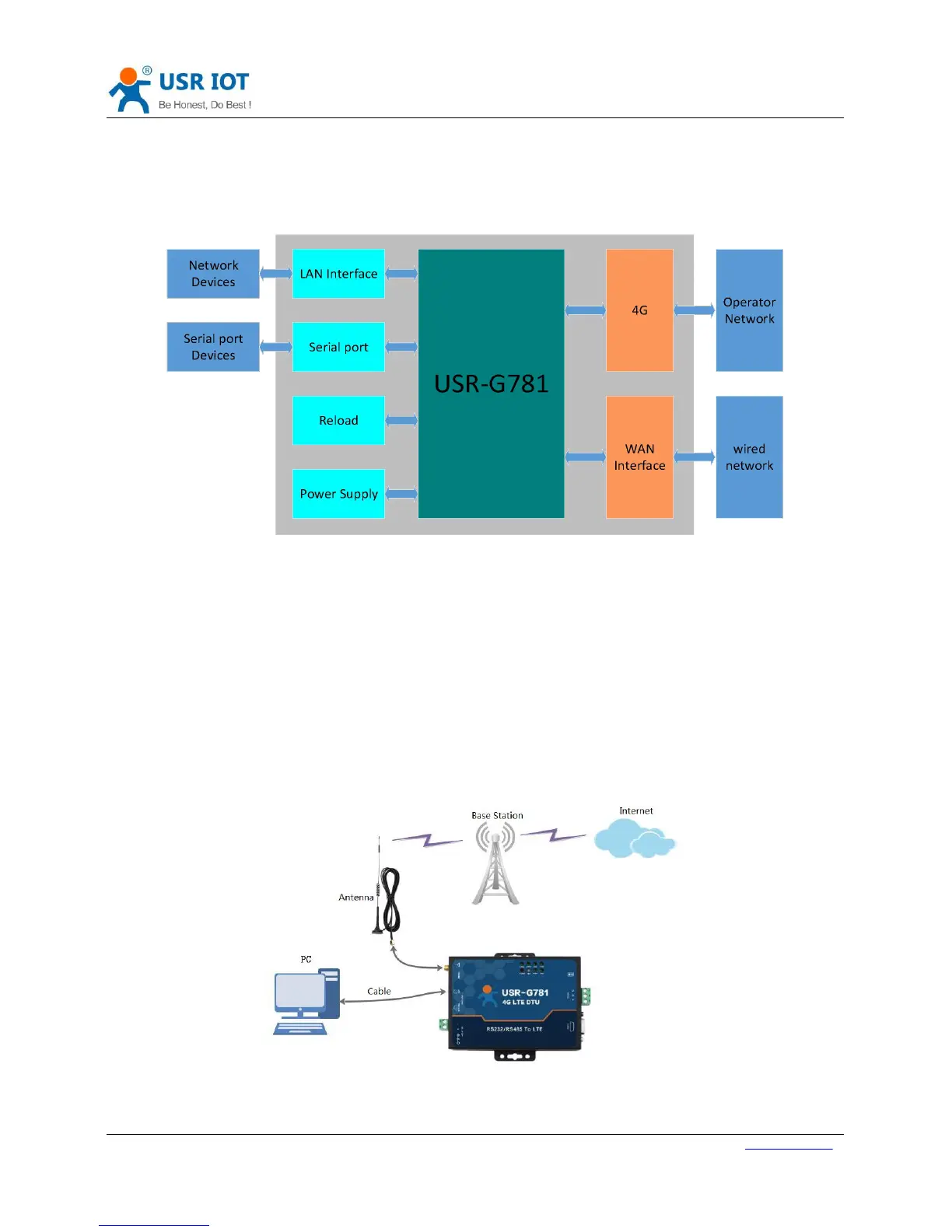
This chapter introduces the Router functions of USR-G781, as the following diagram shown, you can get an
overall knowledge of it.
Figure 13 Router Functions diagram
2.2.1. Configuration procedure
Basic procedure as follows:
Step1: Keep G781 in power off condition.
Step2: Insert SIM card.
Step3: Connect antenna.
Step4: Power the G781.
Step5: Wait about one minute, NET LED light with purple, G781 can connect to 4G network.
Connection diagram as follow:
Figure 14 Application diagram
User can access network through G781. PC connect to G781 by LAN interface and PC should open DHCP function.



 To Next Page