2.3.1.2. HTTPD Client Mode
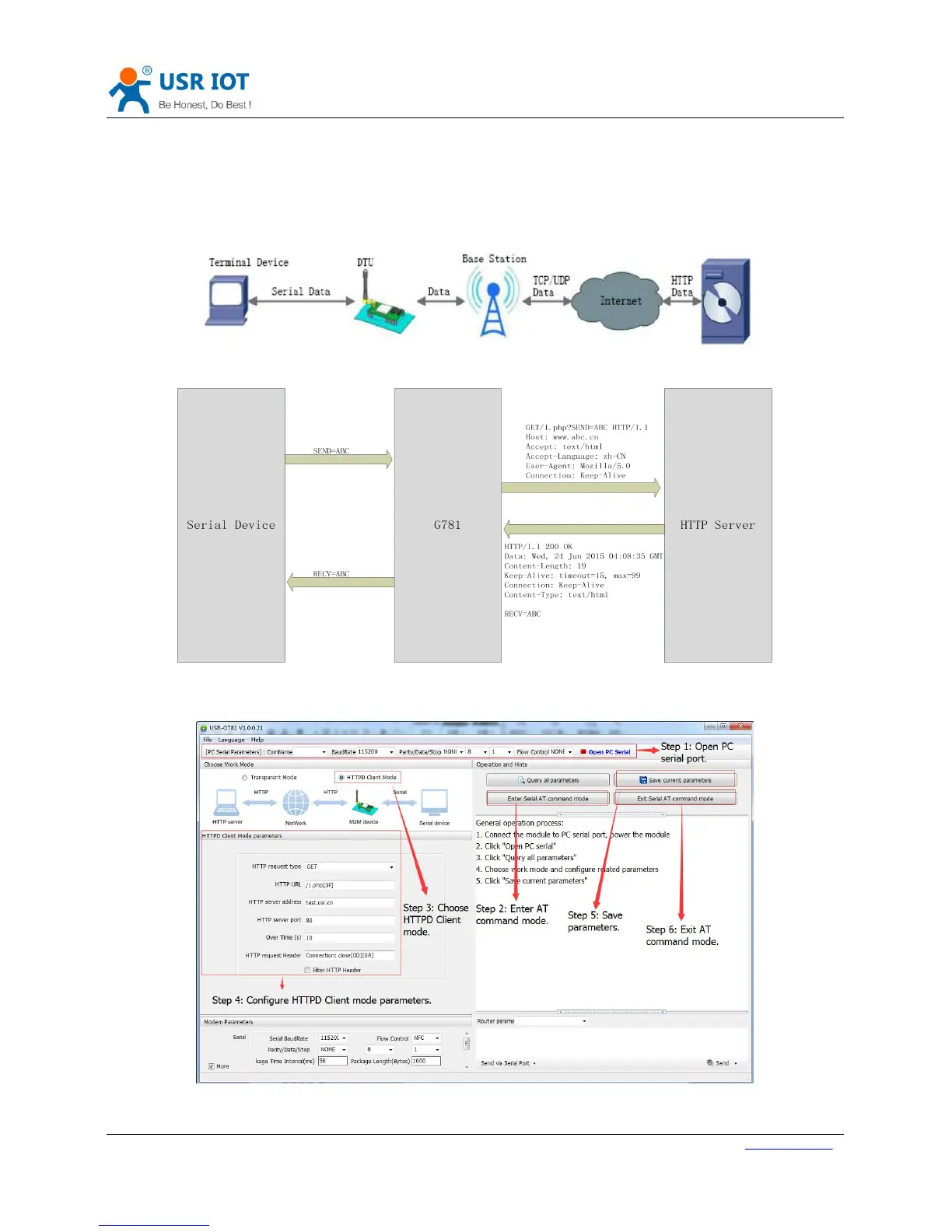
HTTPD Client Mode: DTU will add the HTTP Header for every data from serial and transfer HTTP format data to
Network. User needs to configure the HTTP Header before use this mode. User can use this mode transfer the
serial data to HTTP server.
Figure 33 HTTPD Client Mode
Figure 34 HTTPD Client Mode Diagram
User can configure HTTPD Client mode by setup software as follow:
Figure 35 HTTPD Client mode configuration



 To Next Page