Printing Operation
2-12
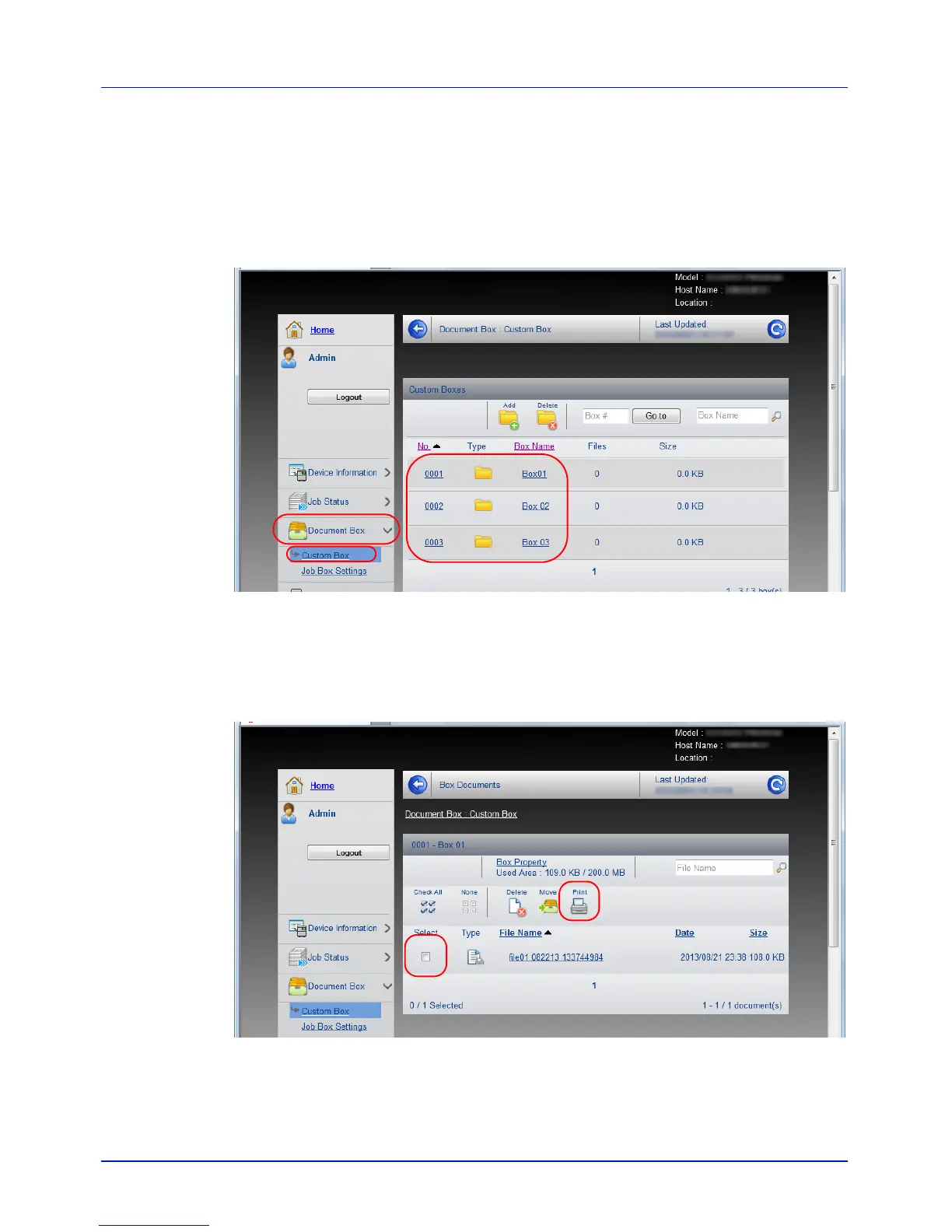
Printing a document stored in a Custom Box
A document stored in a Custom Box can be printed from Embedded Web
Server RX.
1 Access Embedded Web Server RX by referring to Accessing
Embedded Web Server RX on page 2-5.
2 From the Document Box menu, click Custom Box.
3 Click the number or name of the Custom Box in which the document
is stored.
4 Select the document you wish to print.
Select the checkbox of the document to be printed.
5 Click Print.
6 For settings that are configurable, refer to Embedded Web Server
RX User Guide.



 To Next Page