Printing Operation
2-18
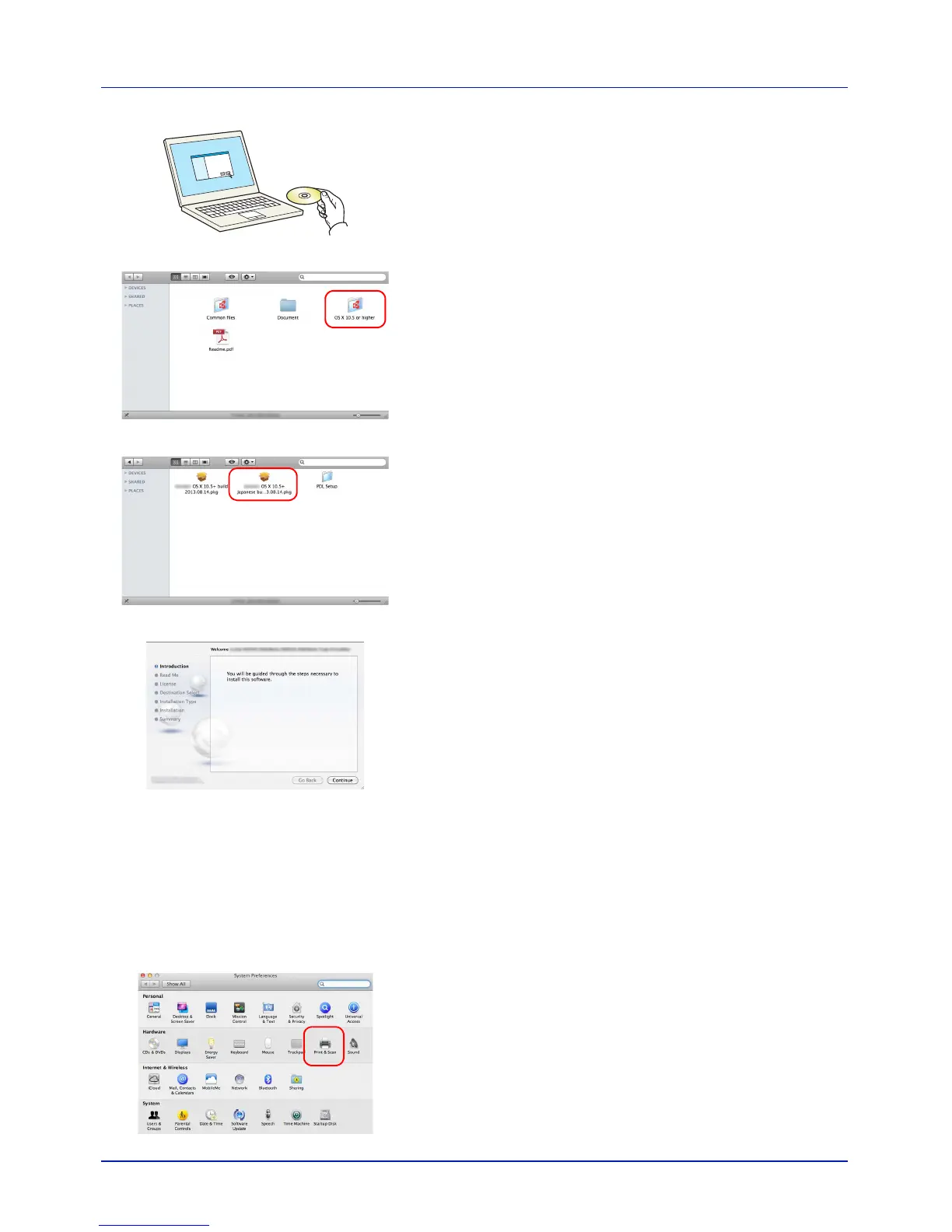
1 Insert the DVD-ROM.
2 Double-click the GEN_LIB icon.
3 Double-click OS X 10.5 or higher .
4 Double-click (Brand Name) OS X 10.5+.
5 The printer driver installation program starts up.
6 Install the printer driver as directed by the instructions in the
installation software.
This completes the printer driver installation.
If a USB connection is used, the machine is automatically recognized
and connected.
If an IP connection is used, the settings below are required.
7 Open System Preferences and click Print & Scan.



 To Next Page