3-18 Handling Paper
Paper stopper
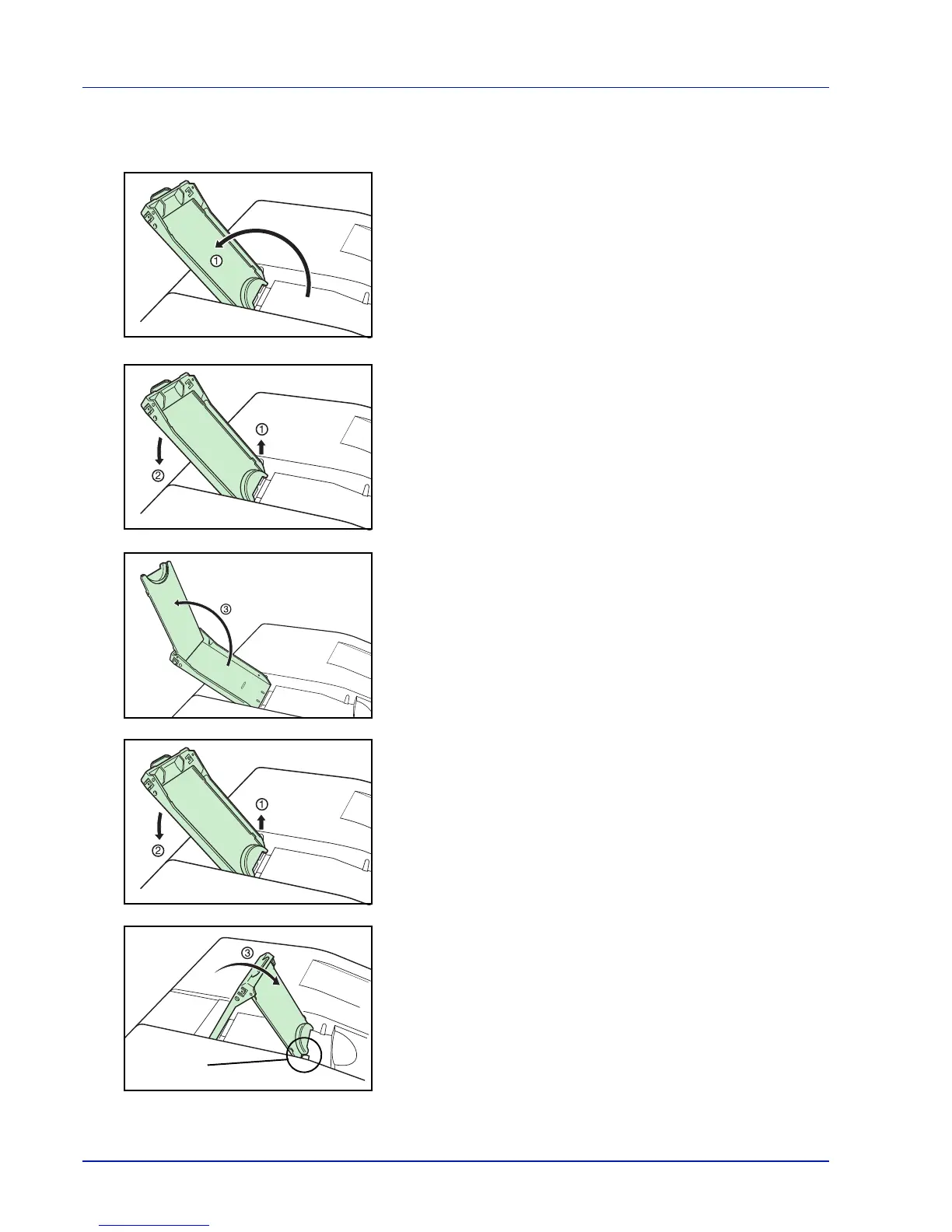
Align the paper stopper to the desired paper size.
• For A4 or Letter size paper
Move the paper stopper as far as the location of ① .
• For Legal size paper
Face the paper stopper upward, pull up as shown at ① and move it as
far as the location of ② .
Open the stand inside the paper stopper as far as the location of ③
and lock.
• For A5 size paper
Face the paper stopper upward, pull up as shown at ① and move it as
far as the location of ② .
Open the stand inside the paper stopper, lower toward you as shown
at ③ , and align the front edges of the stand at the projection on the
printer.


 To Next Page