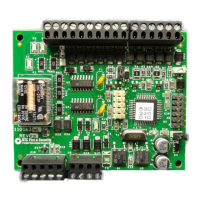
Wiegand Interface Unit Four State (WIU-4)
Installation Manual
6
Parts list
•WIU-4
• Mounting hardware kit
• Installation manual
Refer to the UTC Fire & Security product catalog for part
numbers and ordering information.
Installation overview
The following is the general sequence of steps to follow
when installing the Wiegand Interface Unit-4. Each step is
explained in further detail in the sections that follow:
1. Mount the WIU-4.
Refer to “Mounting the WIU-4” on page 7.
Note: The WIU-4 must be mounted indoors, in a protective enclosure
or standard 2-gang electrical box (Installer supplied) as shown
in Figure 1.
2. Configure the WIU-4.
Refer to “Configuring the WIU-4” on page 8.
3. Connect the WIU-4.
Refer to “Connecting the WIU-4” on page 14.
4. Test the WIU-4.
Refer to “Testing the WIU-4” on page 17.


 To Next Page