4. INITIAL SETUP
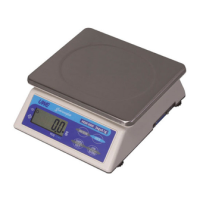
4.1 PLACING THE SCALE
In order to obtain an accurate weighing result, the
complete weighing instrument (hereinafter referred as
the scale) must be placed on a firm, stable and level
surface.
If required, adjust the adjustable feet, underneath the
scale, to level the scale. Refer to the spirit level
for assistance with leveling.
4.2 INTERNAL SETTING
4.2.1 Display Segment Check
User can enter this function to check to see if the display
and backlight (if purchased) are functioning properly.
a. Scale is off
b. Press and hold TARE, then press ON/OFF
c. Scale displays F.1
d. Press TARE once
e. Scale displays F.2
f. Press MODE and all segments will light up to allow
user to check the condition of display
g. Press TARE to quit and ON/ZERO to restart the scale
4.2.2 Select Auto Power Off Setting
The scale is equipped with Auto Power Off Function. The
scale will power off automatically if it is not used
for 4 minutes. Follow the below steps to enable/disable
Auto Power Off Function.
a. Scale is off
b. Press and hold TARE, then press ON/OFF
c. Scale displays F.1
d. Press TARE three times
e. Scale displays F.4
f. Press MODE to shift between 0_OFF and 4_OFF
-To enable Auto Power Off Function, press TARE when
4_OFF appears
-To disable Auto Power Off Function, press TARE when
0_OFF appears
g. Press ZERO to restart the scale or TARE for next
function setup
4.2.3 Select Auto Tare Function
This scale is equipped with an auto tare function which
tares off the initial weight automatically when this
function is engaged. The tare weight is automatically
cleared when everything is removed from platter.



 To Next Page