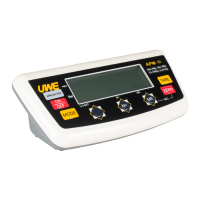
Symptom Indicator displays
-----
Check Is the load cell signal cable connected to
the indicator properly?
Action Recheck signal cable connections.
Check Is load cell working properly?
Action Check load cell input/output.
Symptom Display shows 00000 after counting down
Check Is the load applied to platter above the
rated capacity of the scale?
Action Remove all loads from platter and try again.
Symptom Weighing result is not accurate
Check Is the scale placed on a level surface?
Action Install the scale on a level surface.
Check Is the scale affected by airflow, vibration
or RFI?
Action: Position the scale away from all
disturbances.
Check Is the indicator calibrated correctly?
Action Contact your dealer.
7. DAILY CARE AND MAINTENANCE
7.1 Clean the indicator with a soft and damp cloth.
If necessary, apply a mild detergent.
7.2 Do not use any harsh, abrasive material, acetone,
volatile solvent, thinner or alcohol for
cleaning.
7.3 Verify the accuracy of indicator periodically.
Re-calibrate the indicator if necessary by
contacting your scale dealer.
7.4 Store indicator scale in a dry and clean place.



 To Next Page