6. PRINTER AND RS232C INTERFACE
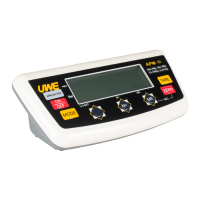
The VBM/VFM/VFS/VTM series are capable to install
printer interface, and RS232 interface upon purchase.
6.1 Connect the Scale with a Computer
Follow the below steps to connect the scale with a
computer.
a. Turn scale off
b. Turn computer off
c. Connect the RS232C output of scale to computer with
an appropriate data cable(D-SUB 9)
d. Turn scale on
e. Turn computer on
f. Load and run the BASICA program file (For DOS
platform)
6.1.1 Default Output Settings
BAUD RATE = 9600
DATA BITS = 8
PARITY = NONE
STOP BITS = 1
6.1.2 When Using DOS System
a. Create BASICA computer program file as below to
enable the computer to receive data sent by scale.
10 OPEN "COM*:9600, N,8,1,CS,DS,CD" AS#1



 To Next Page