6.2 Connect the Scale with a Printer(Parallel Port)
a. Turn scale off
b. Turn printer off
c. Connect the printer output of scale to printer with
an appropriate data cable(D-SUB 25)
d. Turn scale on
e. Turn printer on(in online status)
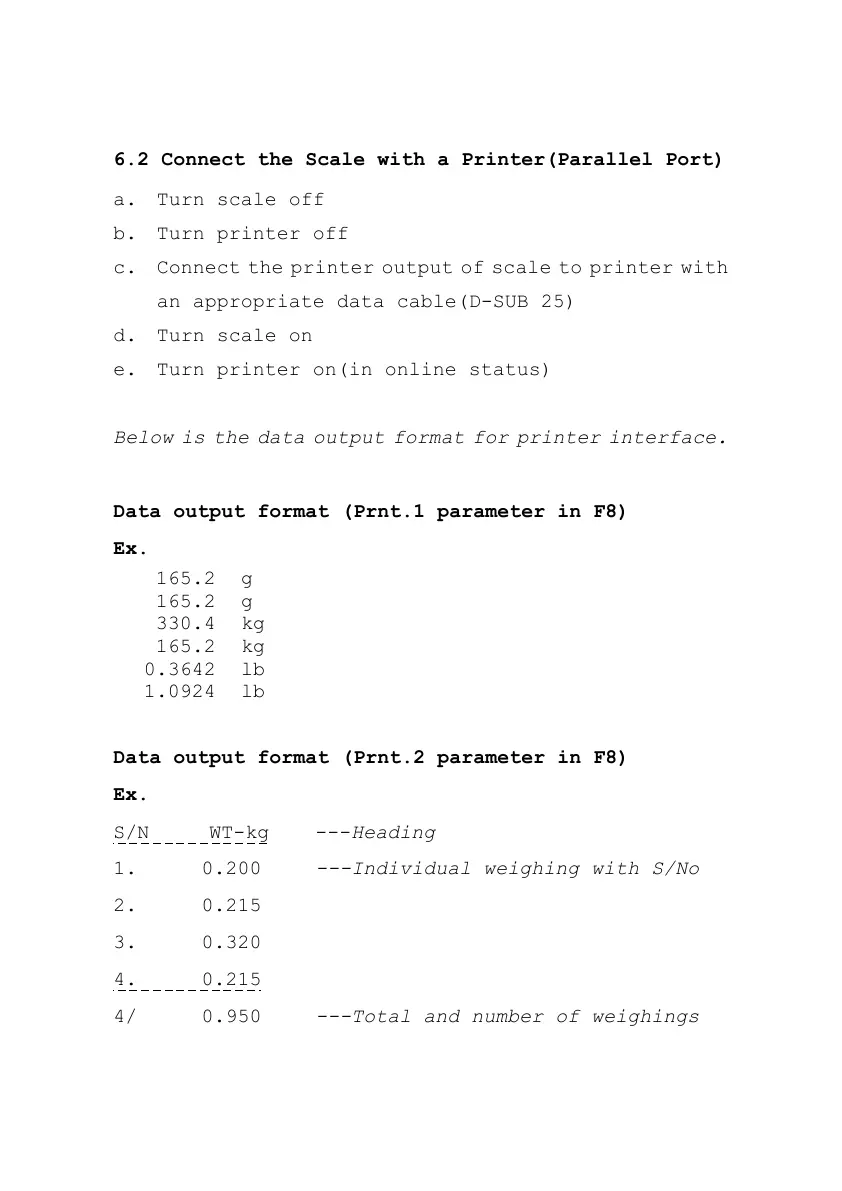
Below is the data output format for printer interface.
Data output format (Prnt.1 parameter in F8)
Ex.
Data output format (Prnt.2 parameter in F8)
Ex.
S/N WT-kg ---Heading
1. 0.200 ---Individual weighing with S/No
2. 0.215
3. 0.320
4. 0.215
4/ 0.950 ---Total and number of weighings



 To Next Page