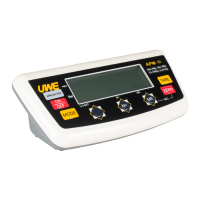
4. MR KEY
Press this key to recall the total accumulated weight
from memory.
5. TARE KEY
Press this key to tare off the weight of a container.
6. ON/ZERO KEY
Press this key to turn indicator on and/or set weight
displayed to zero.
7. NET INDICATOR
This indicator appears to indicate the tare function
is in operation and weight shown is net weight.
8. ZERO INDICATOR
This indicator appears to indicate zero weight status.
9. WEIGHT UNIT INDICATOR
“kg” indicates the metric unit is being employed.
“lb” indicates the avoirdupois unit is being employed.
10. IN-CHARGE INDICATOR
Red color: Recharging on process



 To Next Page