-11-
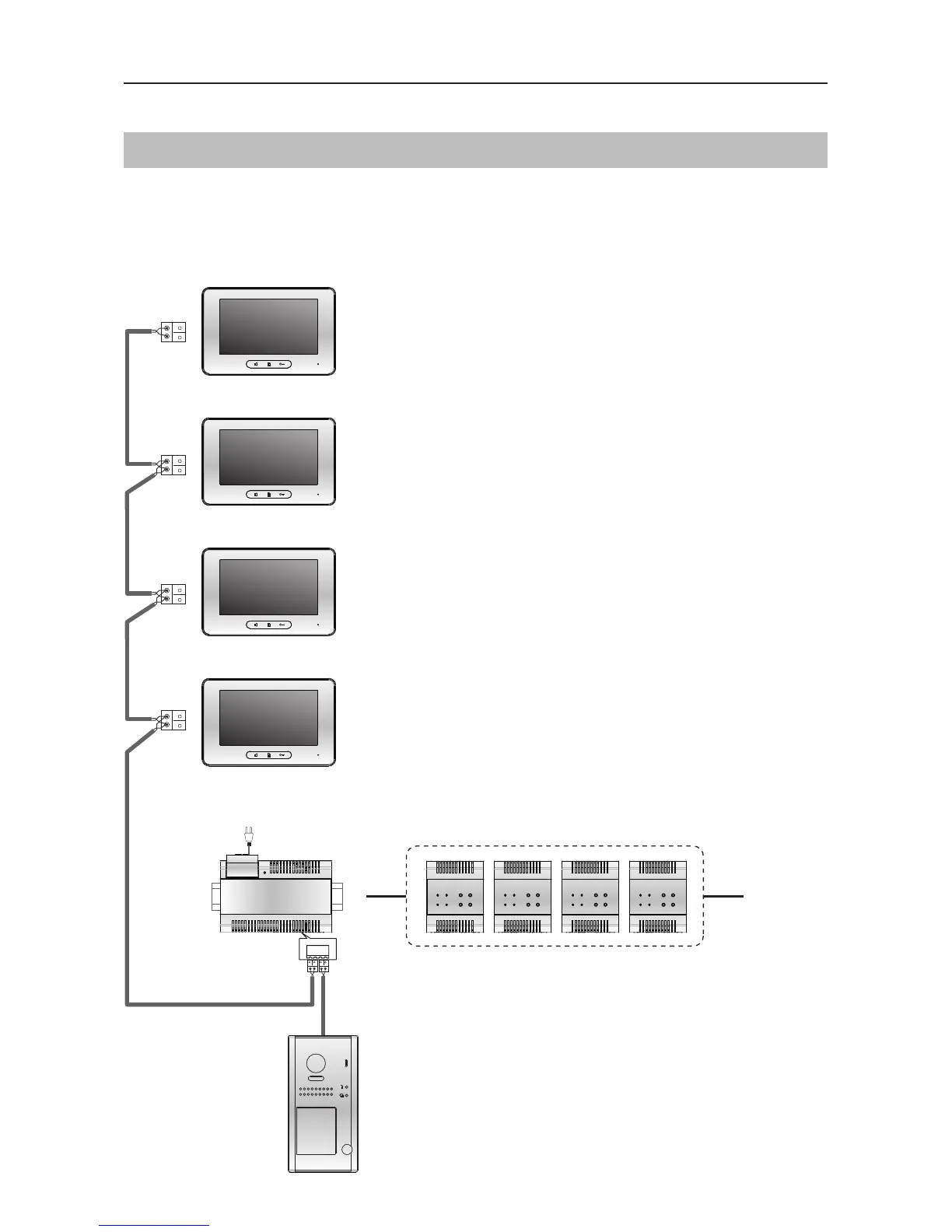
Daisy Chain In-Out Wiring Door Station in Standard Mode
Connecting Multiple Monitors
WIRING
• Recommended for up to 4-Monitors system
• All monitors in the system should have
same User code 1
• Program first monitor as ‘Master’ and
others as ‘Slave’ 1, 2 and 3
• Flip DIP-6 on the last monitor to On
(end of line)
ID=0
Code=1, DIP6=off
Optional functional module
SCU
CCTV Interface
GSM
Interface
TPS
Telephone Interface
QSW
Quad CCTV Interface
(Master)
Code=1, DIP6=off
(Slave 2)
Code=1, DIP6=on
(Slave 3)
BUS(IM) BUS(DS)
PC6A
AC~
100~240VAC
Code=1, DIP6=off
(Slave 1)
SCU GSM TPS QSW


 To Next Page
 Loading...