-4-
Setting Door Station Address
Setting Door Station Calling Mode
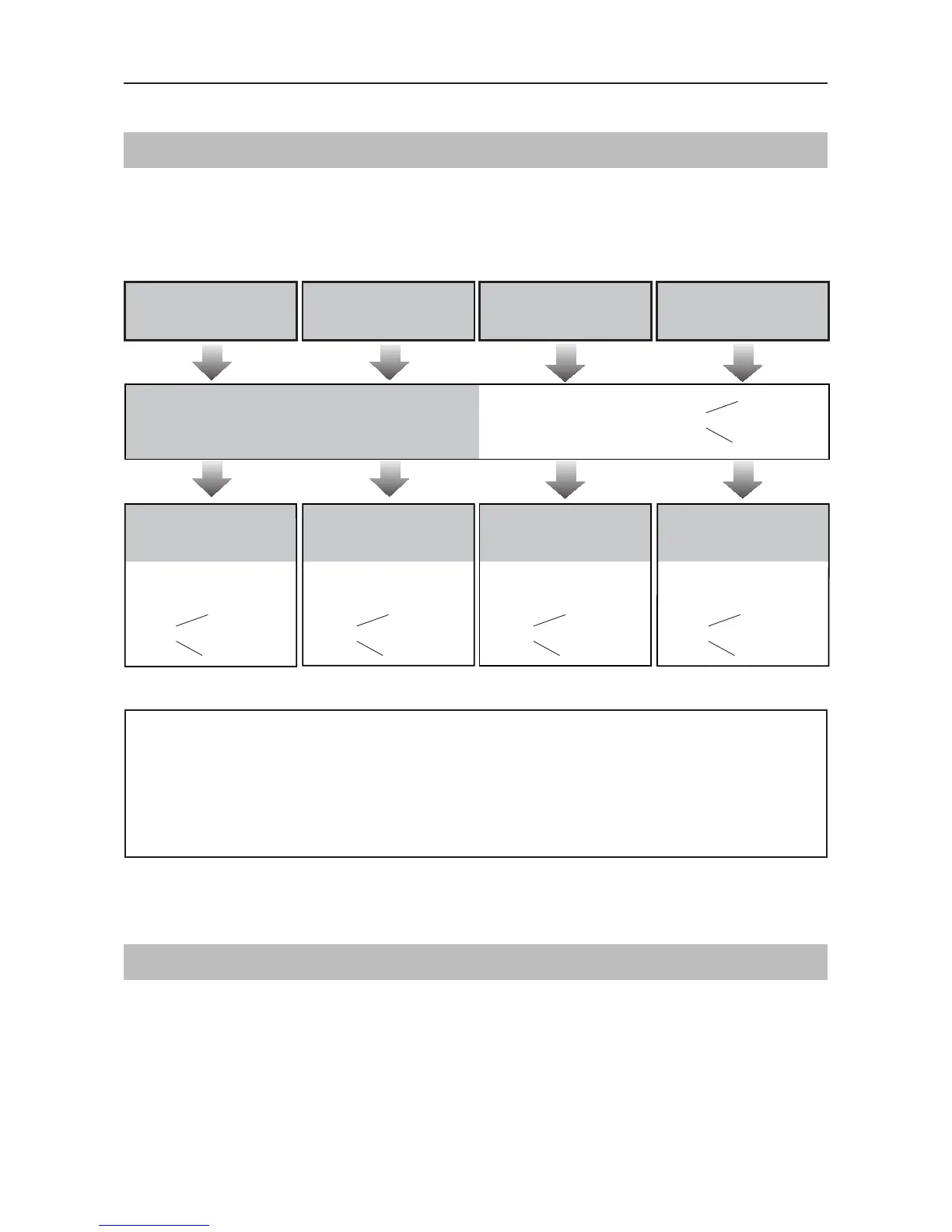
Total 4 addresses can be congured. It can be modied either before or after installation.
0 is default, to change the setting, please follow the steps:
UNLOCK Indicator:OFF
TALK Indicator:OFF
Buzzer
Beep+, Beep
UNLOCK Indicator:OFF
TALK Indicator:OFF
Buzzer
Beep+
In standby mode, press
KEY_SET button once
Press KEY_1 button to set
as first door station
Press KEY_2 button to set
as second door station
Press KEY_3 button to set
as third door station
Press KEY_4 button to set
as fourth door station
UNLOCK Indicator:OFF
TALK Indicator:OFF
Buzzer
Beep,Beep
UNLOCK Indicator:OFF
TALK Indicator:OFF
Buzzer
Beep,Beep,Beep
UNLOCK Indicator:OFF
TALK Indicator:OFF
Buzzer
Beep,Beep,Beep,Beep
ID=0,1
st
door station ID=1,2
nd
door station ID=2,3
rd
door station ID=3,4
th
door station
SETUP INSTRUCTIONS
• If setting mode has not been exited, you can change the address of door station by pressing KEY1~4
• The LED_NAME indicator will blink until the setting mode is exited
• No operation for 10 seconds will exit the setting mode automatically
• Press KEY_SET button four times to exit the setting mode manually
There are two calling modes for door station: Standard calling mode and Group calling mode
Standard Calling Mode is default


 To Next Page
 Loading...