The home screen
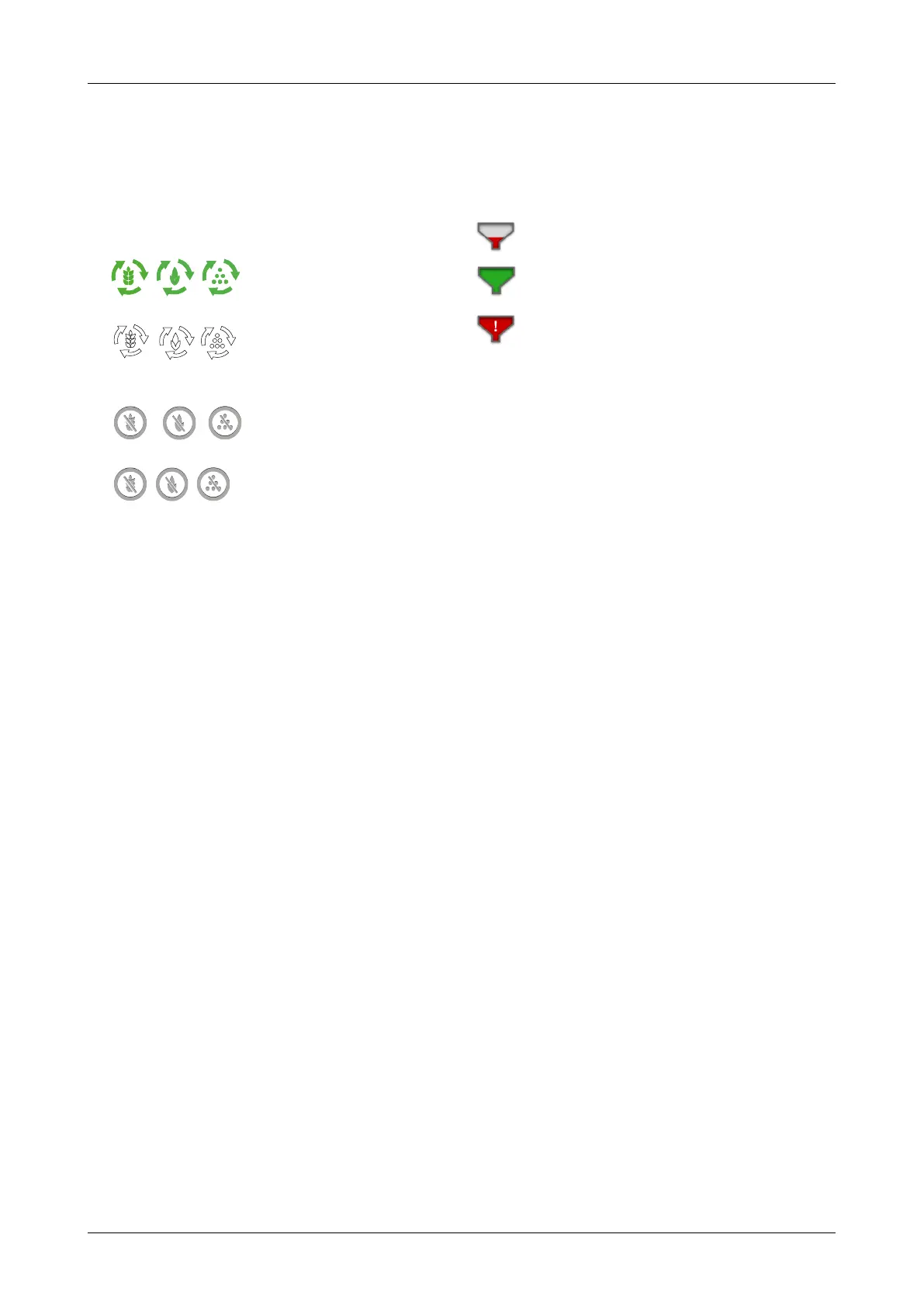
The part of the machine for which seed feed is shut off is
shown by a white symbol against a grey background.
Status output units
The status of each output unit is indicated in the machine
overview and can have one of the following four
appearances.
•
, , against a green background. The
unit is rotating
• , , against a white background. The
unit has stopped but will be re-started when all the
output criteria have been met.
• ,
, against a grey background. The
unit is switched off.
• ,
, against a red background. The
unit has an active alarm.
5.5 Tank level
Field F, H and J on the work display, see figure “5.2“.
The screen displays three different levels depending on
status:
indicates a low level.
indicates an adequate level.
indicates a sensor fault.
903099-en-gb; 19.01.2021 11



 To Next Page