Assembly instructions
4. Connect the black cable to minus and the red cable to
plus.
3.5 Pair the iPad with the E-Keeper
In order for an iPad to work with an E-Keeper, they must
be paired. If the iPad is used with another E-Keeper or the
E-Keeper is replaced, they will need to be re-paired.
Pairing an iPad with an E-Keeper
1. Power up the E-Keeper.
2. Ensure that the iPad and E-Keeper are within
“Bluetooth” range and launch the E-Control
application on the iPad. If “Bluetooth” is not enabled,
you will be prompted to enable it on the screen.
3. Press any button on the E-Keeper. The “Bluetooth”
symbol will light up and the E-Keeper will be ready
to use.
The iPad must always be unpaired from the E-
Keeper before it is paired with a new one.
Unpairing an iPad from an E-Keeper
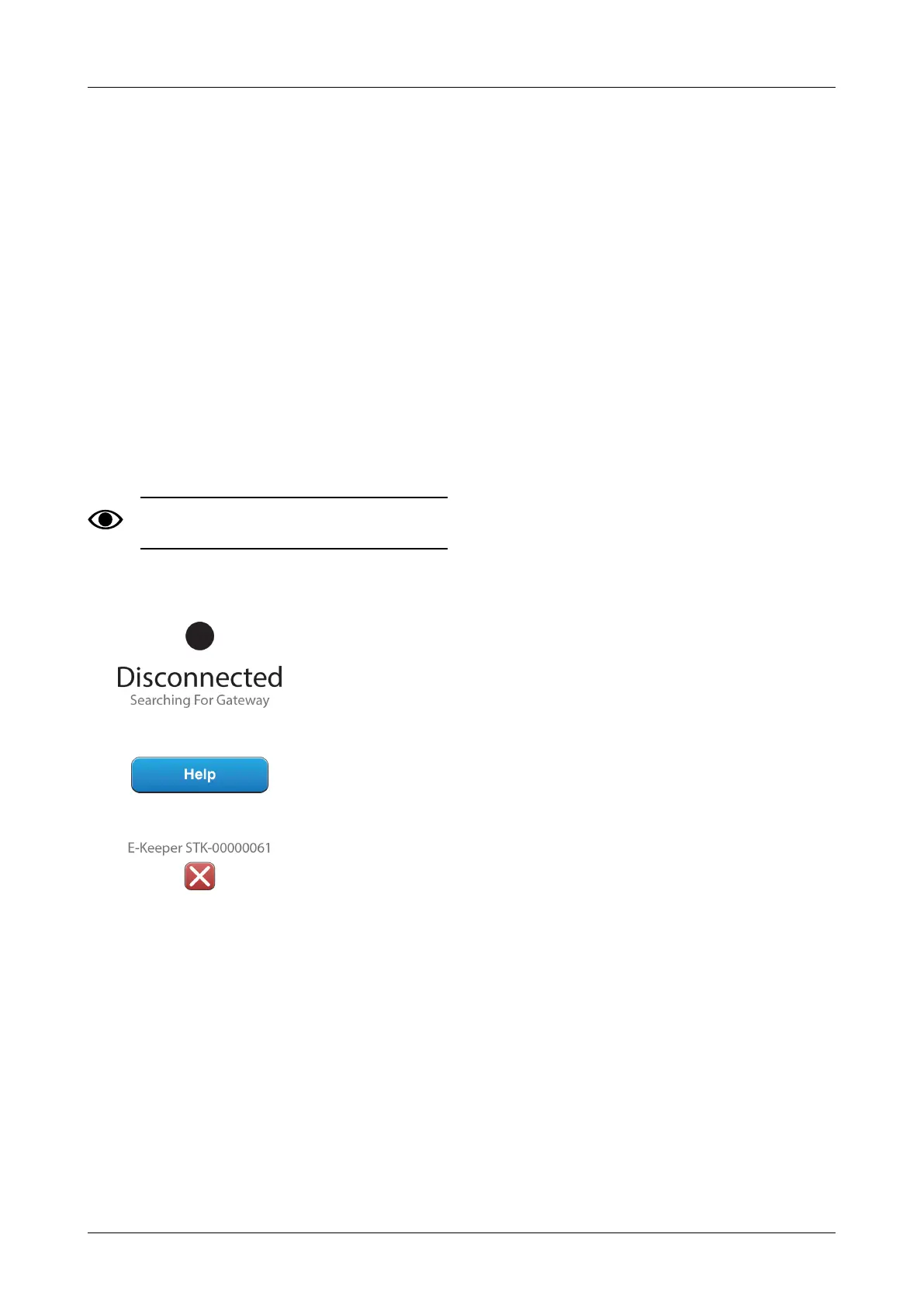
Figure 3.5
1. Start the iPad.
2. Select settings and switch off the Wi-Fi.
3. Start the E-Control application. A page will be
displayed, asking if you want to unpair the iPad from
the E-Keeper.
4. Press the cross, see “Figure 3.5 “. The “Bluetooth”
symbol will go out and it will now be possible to pair
the iPad with another E-Keeper.
5. Select settings and re-start the Wi-Fi.
903099-en-gb; 19.01.2021 5




 To Next Page