This document outlines the operating instructions for the ecoFIT pure 825-835, a heat generator designed for closed heating installations and hot water generation. It emphasizes safety, proper usage, and maintenance to ensure optimal performance and longevity.
Function Description
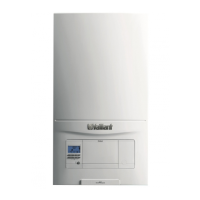
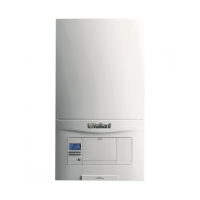
The ecoFIT pure is a heat generator that provides heating for closed systems and generates hot water. Its operation is managed through a control panel featuring a display, selection buttons, and a fault clearance key. The display provides real-time information on the product's status, including current heating flow temperature, operating mode, fault codes, and system pressure.
The device supports various operating modes:
- Heating Mode: Provides heat to the heating installation based on demand. The heating flow temperature can be adjusted to suit user preferences.
- Hot Water Generation: Heats water for domestic use. The hot water temperature is also adjustable.
- Comfort Mode: Ensures immediate hot water supply at the desired temperature, eliminating waiting times for water to heat up. This mode can be switched on or off as needed.
- Summer Mode: Allows the product to generate hot water without activating the heating mode, effectively switching off heating during warmer periods.
- Frost Protection Function: Automatically activates when the heating flow temperature falls below 5 °C, heating the circulating water to approximately 30 °C to prevent freezing. This function is active as long as the unit is connected to the power mains and switched on.
The product continuously monitors the heating system's filling pressure, displaying it as a bar graph with permitted ranges. If the pressure falls too low, the product will switch off and display a fault message (F.22).
Usage Features
Starting Up and Basic Operation:
To start the product, ensure all isolator devices (gas isolator cock, service valves for heating flow and return, and cold water stop valve) are open. The product is then switched on via a main switch installed on-site.
Temperature Settings:
- Heating Flow Temperature: Users can set the desired heating flow temperature using the control panel. If a controller is connected, the temperature is set via the controller's interface.
- Hot Water Temperature: The hot water temperature can be adjusted similarly. For systems with a controller, settings are managed through the controller.
- Legionella Protection: The hot water can be heated above 60 °C at pre-defined times to protect against Legionella. Users are advised to consult a competent person regarding specific measures for their system.
System Pressure Management:
- The display shows the current filling pressure of the heating system. Users should regularly check this pressure to ensure it remains within the permitted range (0.10 MPa to 0.20 MPa or 1.0 to 2.0 bar).
- If the pressure is too low, the heating installation needs to be refilled with suitable heating water. This process involves connecting a filling tap to a water supply, opening radiator valves, and slowly filling the system until the required pressure is reached.
Troubleshooting and Status Monitoring:
- The product provides status codes (e.g., S.00 for "No heat demand," S.04 for "Burner on") and fault messages (e.g., F.22 for low water pressure, F.28 for ignition fault) on its display.
- Users can access a "Live monitor" to view current operating status codes.
- In case of faults, the instructions provide a basic troubleshooting guide. For persistent issues or specific fault messages (F.xx), contacting a competent person is recommended.
Standby Mode:
The product can be switched to standby mode by pressing the fault clearance key. In this mode, the display turns off, but the frost protection function remains active, and the main power supply is not interrupted.
Maintenance Features
Regular Maintenance:
- An annual inspection by a competent person is crucial to ensure the product's safety, efficiency, and long working life.
- The Benchmark Checklist, provided with the installation instructions, should be completed by the installer and serviced regularly by a service engineer. This checklist is essential for warranty purposes.
Cleaning:
- The casing should be cleaned with a damp cloth and a solvent-free soap. Harsh cleaning agents, sprays, or solvents containing chlorine should be avoided to prevent material damage.
Maintenance Messages:
- If a specific symbol appears on the display, it indicates that maintenance work is required. While the product continues to operate, users should consult a competent person. If low water pressure is also indicated, adding more heating water may resolve the issue.
Condensate Drain Pipework and Tundish:
- The condensate drain pipework and tundish must always be clear and free of blockages. Users should regularly check for any obstructions. If a fault is noticed, it should be rectified by a competent person.
Decommissioning:
- Temporary Decommissioning: For short periods, the product can be temporarily decommissioned by switching it off via the main switch, provided no frost is expected. The frost protection function remains active if the unit is connected to power.
- Permanent Decommissioning: If the product is to be permanently decommissioned, a competent person should be consulted.
- Disposal: The product should not be disposed of with household waste. Instead, it should be taken to a collection center for old electrical or electronic appliances. If the product contains batteries, these should be disposed of at a collection point for batteries.

 Need help?
 General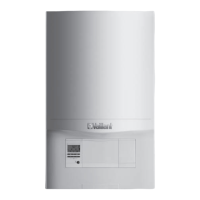


 To Next Page
