13
System
Note: If Clock Board was checked in system configuration, you will need to scroll down to find System in the
Programming Window.
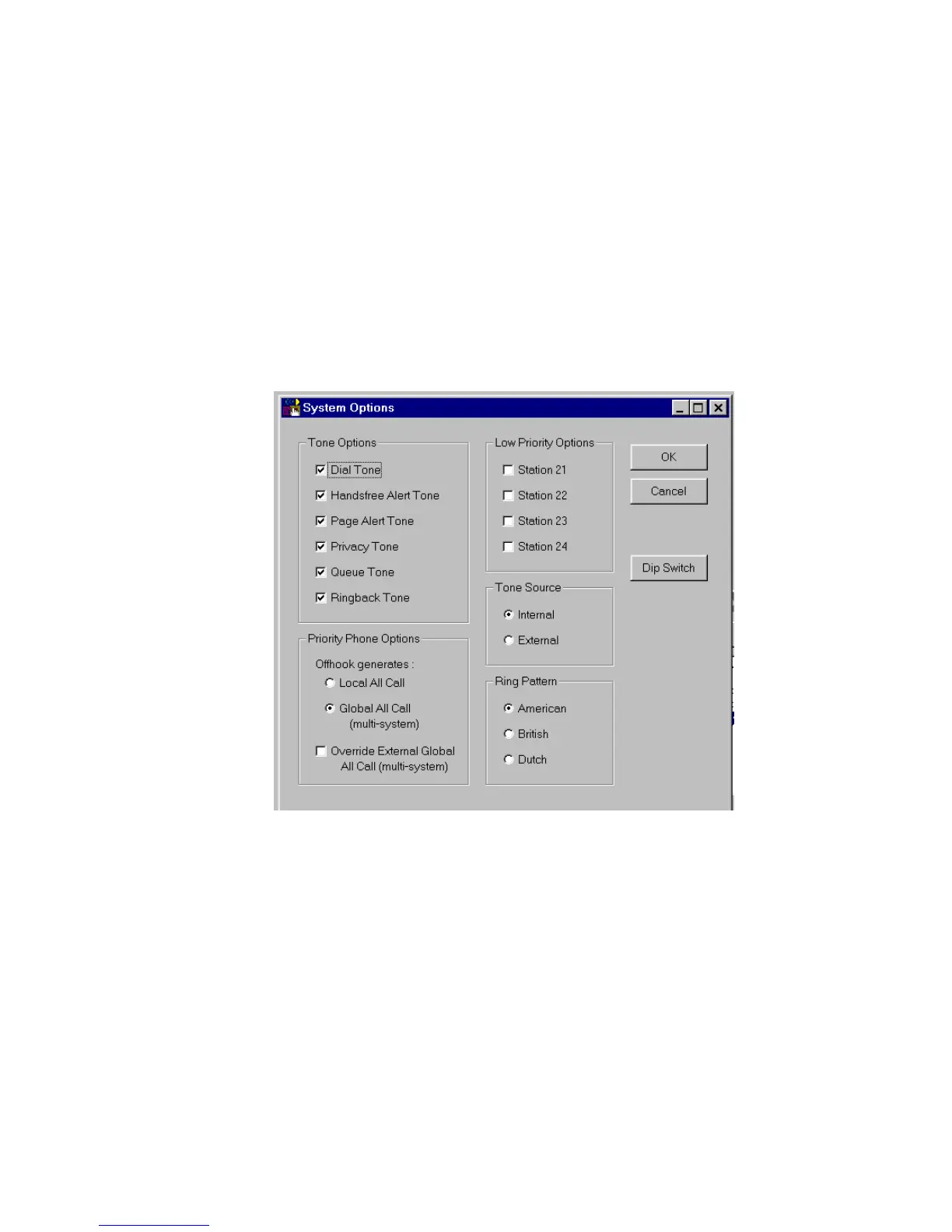
Next select System from the Programming Window. A check in the box means ON (selected); an empty box
means OFF (not selected). Select the desired options and click on OK to exit this screen. The options are
described in more detail in the Control Unit (V-2924A) document or select Help from the pull-down menu for
on-screen details.
The Dip Switch button displays the dip switch equivalent (see next page) of the options selected with the
programming tool.
IMPORTANT: Options set using the programming tool override options selected manually using the
Control Unit dip switches.


 To Next Page