4
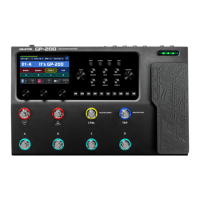
Panel Introduction
Getting Started
1. Connect your device. Plug your guitar into the GP-200LT's INPUT jack, and run a cable from the BALANCED OUTPUT
L (MONO) to your amp.
Please remember:
Ÿ For your hearing health, and device safety, the volume of GP-200LT and amp is suggested to keep down before
power on. Then adjust the volume to a suitable level per demand.
Ÿ Connect your cable to the amp's FX Loop Return if it has one.
2. Connect the power supply to turn on GP-200LT.
3. Tune your strings. Hold footswitch CTRL (HOLD FOR TUNER) to activate the tuner mode. Pluck each string and tune it
until the pitch reaches the middle of the screen and turns green. When all strings are tuned, tap either of the
footswitches again to exit the tuner.
12. EXP/FS Jacks
A pair of 1/4" TRS inputs, for connecting an external
expression pedal/footswitch controller.
13. INPUT Jack
1/4" TS input connection for guitar or other
instruments.
14. FX LOOP(SEND/RETURN) Jack
These 1/4" TS jacks can be used as FX loop for
inserting external stompboxes into your tone.
SEND/RETURN node is after AMP module, and is
moved with AMP module.
15. AUX IN Jack
1/8" TRS input for connecting an audio player and
playing along (or recording).
16. PHONES Jack
1/8"TRS output for connecting headphones.
17. BALANCED OUTPUT
Use 1/4" TS cables for unbalanced output to connect
to your guitar amp, FRFR speakers or other
playback system. You can also use 1/4" TRS cables
for balanced output to connect to your studio gear,
mixer or PA system. For mono output, use only the L
(MONO) jack.
18. MIDI Jacks
1/8" TRS jacks for connecting external MIDI devices.
19. USB Jack
By connecting USB 2.0 Type-C to Mac and Windows
computers, GP-200LT also functions as a high
quality audio interface with Dl, Re-amping and MIDI
functionality built right in.
20. DC 9V Jack
Power Requirements: DC 9V,1000mA,



 To Next Page
 Loading...