OPERATION : UPDATING SOFTWARE
3
02.9685.0001 0 01-March-2006 37
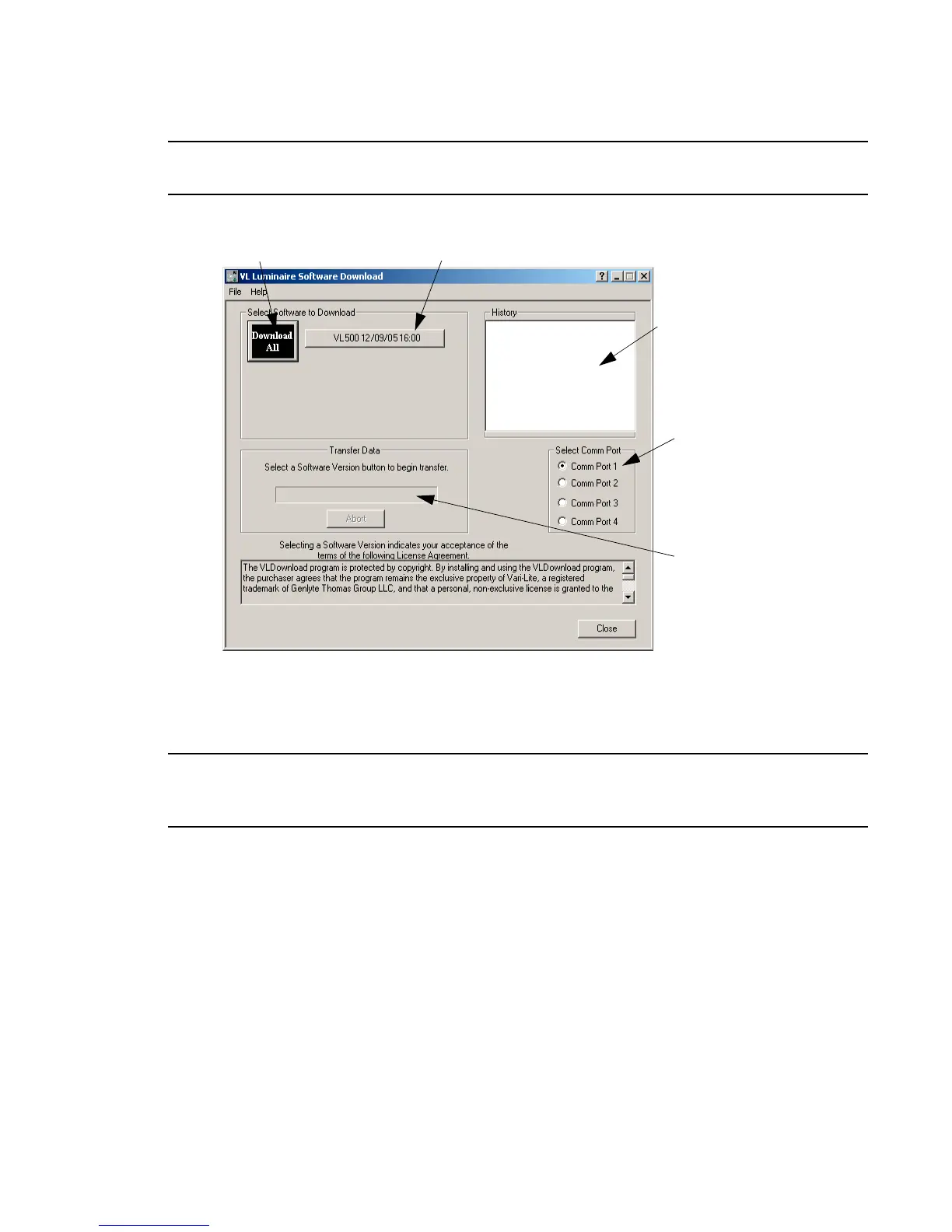
Note: Version dates shown in this graphic are for illustration purposes only and may not correspond to
the version you are downloading.
Figure 3-4: Download Interface Window
Step 8. Download will proceed.
Step 9. Click Close to exit.
Note: The History section of the window shows what specific types of luminaire software have been
downloaded since the beginning of the session (window will reset once the program is closed and re-
opened).
Lists the specific versions
Will show current
Click to download all
listed software versions
to connected luminaire(s)
Select PC serial
port where cable
is connected.
Click to download specific software
version to connected luminaire(s)
progress of download
of software that have been
downloaded



 To Next Page