VARI❋LITE® - VL500™ WASH LUMINAIRE USER’S MANUAL
42 01-March-2006 02.9685.0001 0
Menu Operation
What Is the Menu System?
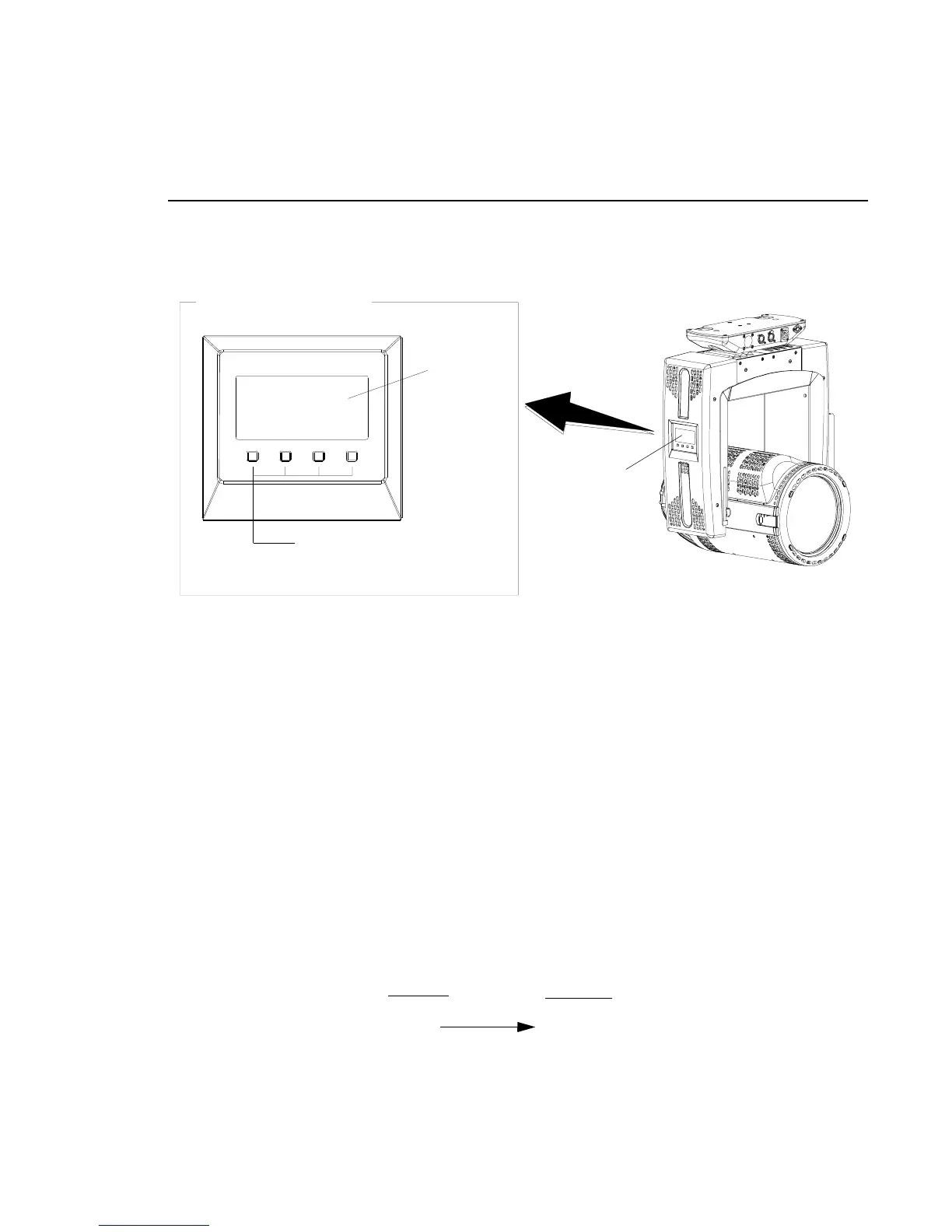
The menu system is controlled by four buttons. These buttons function as follows:
Figure 4-1: Menu Display Location
The menu offers four softkey button that change dynamically according to the menu selected at each
level. To enter the menu system, first press [Menu]. The functions displayed will be 1st level
functions. Scroll through the 1st level functions by pressing [Up] / [Down] arrows. Once the desired
function appears in the display, press [Enter]. You are now at the 2nd level. Once again, press the [Up]
/ [Down] arrows to scroll through 2nd level functions. Press [Enter] to access 3rd level functions and
so forth. When the highest level for the function is reached, [Up] / [Down] arrows can be pressed to
select a value or select a toggle activation such as ON/OFF. Press [Enter] to store the value or select an
action. Some of the softkey buttons offered are:
[Menu] button Displays the menu, or if at first level, the current address. Can also enable menu to
exit a menu level.
[Enter] button Selects the current menu option or stores current data value.
[Up] arrow Scrolls menu options upward or increases current data value.
[Down] arrow Scrolls menu options downward or decreases current data value.
For example, the Address function has one sub-level: DMX. The Address function is a 2-level menu.
LCD Display
Menu Display
Softkeys - The menu has four softkey
buttons that change to accommodate
menu selection.
Series 500 Menu Display
1st Level
2nd Level
Address
DMX (value xxx)
* The arrows will have opposite functions if the luminaire is hung upside down in a hanging orientation due to the automatic orientation
feature. In other words, the arrow pointing downward always functions as down/decrease and the arrow pointing upward always functions as
up/increase regardless of the luminaire orientation.



 To Next Page