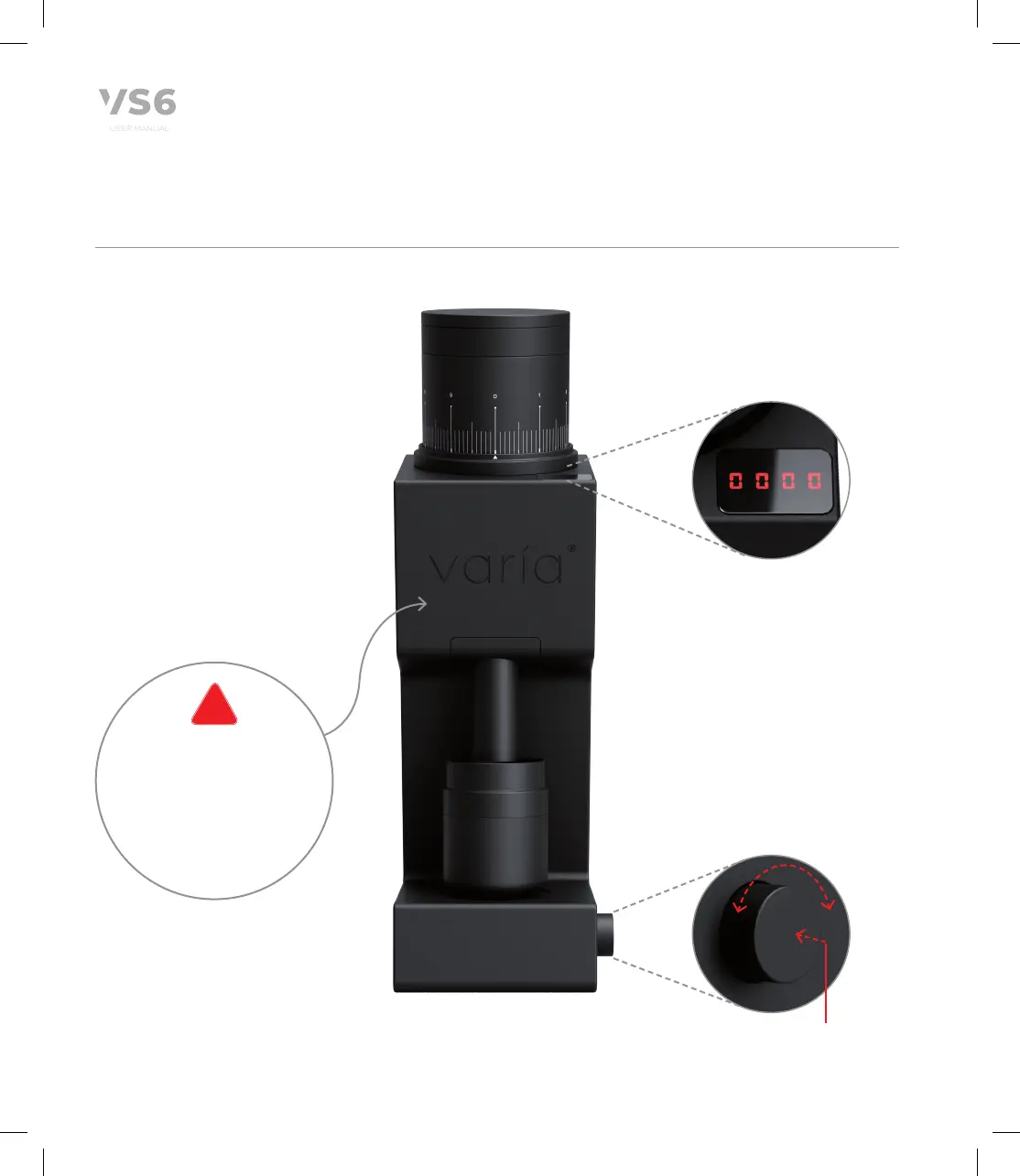
3.2 Power Button & RPM Control
The VS6 is equipped with a
multifunctional power ON/OFF
button, also serving as the RPM
control.
To operate the grinder, simply;
1. Press once to POWER ON
– the LED display will show
'0000' then;
2. Rotate RPM control dial
to the desired RPM. The
VS6 will start at 500RPM –
with 100RPM adjustments
permitted to 1600RPM.
3. To POWER OFF the VS6, press
the button once more.
RPM Control LED display
RPM Control (Rotate)
Clockwise to increase RPM
Anti-Clockwise to decrease RPM
The variable RPM range of the
VS6 ranges from 500 to
1600RPM
Power ON/OFF
Press once
SAFETY FEATURE
After 30 seconds of the
grinder sensing that
there is NO COFFEE in the
chamber after a grind
cycle, it will automatically
power off
10
!


 To Next Page