NOTE : After grinding larger grind sizes (suitable for pour over), making a setting adjustment for a finer
grind may result in a noise, from the burrs touching - this noise is caused by residual coffee particles
present on the burrs. It will not damage the grinder, it’s quite normal with all flat burr grinders.
To stop the noise, adjust to a slightly finer setting, then back to desired setting.
3.6 Grind Settings & Calibration
1. To calibrate your Varia VS6, rotate the hopper in a clock-wise direction until you reach "0" (zero point).
(When factory new, this maximum tightness may vary from a seasoned thread after use).
DO NOT turn the grinder on while the hopper is set to the tightest setting as this could cause damage
to the burrs as a result of the edges contacting.
2. This is now your calibration “zero point” and you are now ready to set your grind setting (see 3.7 Flat Burr
Grind Settings Chart).
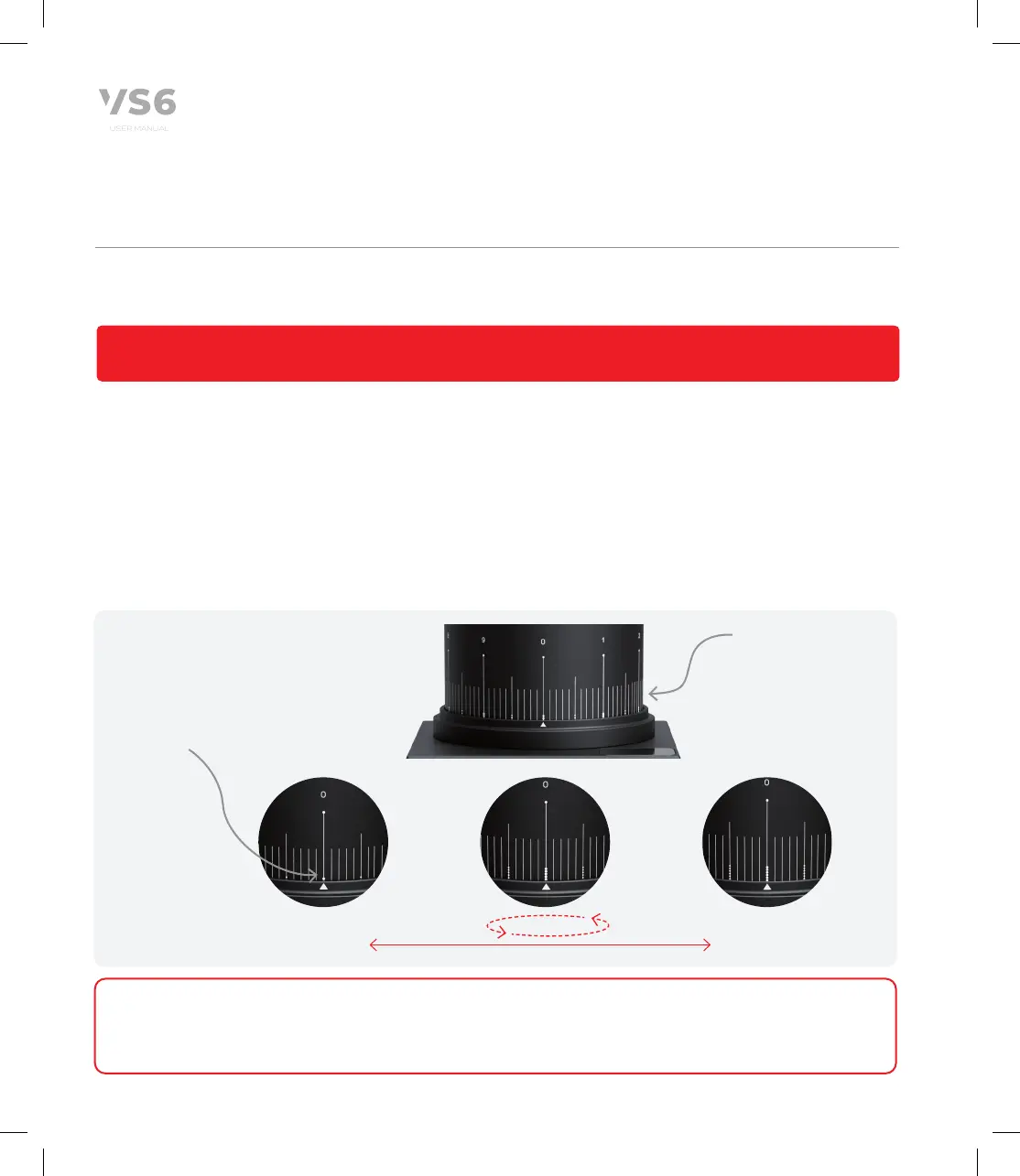
Grind Size Adjustment Markings
The hopper of the VS6 is equipped with an intuitive adjustment marking system for grind settings. Each small
line on the hopper represents a 5-micron adjustment in particle size, allowing for precise control over the grind.
Additionally, the VS6 features a revolution counter that tracks each full turn of the hopper, from the finest
setting (1 dots) to the coarsest (6 dots). This enables users to quickly navigate to their preferred settings by
counting the number of revolutions.
Each small line
on the hopper
represents
a 5-micron
adjustment in
particle size
Hopper revolution
counter markings;
– 1 dot > 6 dots
representing finest (1 dot)
to coarsest (6 dots)
Finest = 1
dot visible
Coarsest = 6
dots visible
revolutions
14


 To Next Page