4
5
6
3. Quick Start Guide – continued
4
6
DO NOT POWER ON the grinder when the hopper is at its tightest setting
as you will cause damage to the burrs.
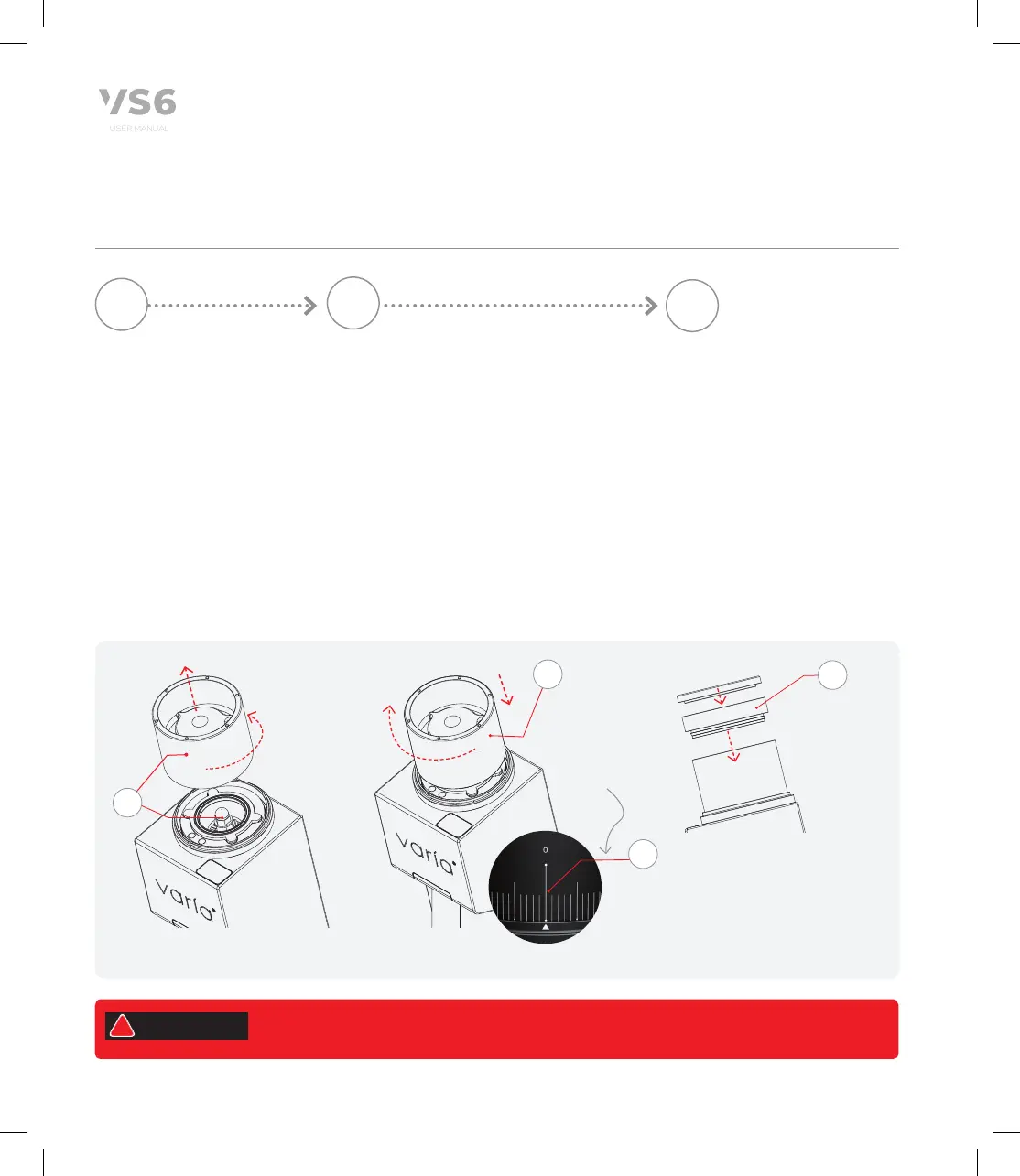
Check locking nut:
Remove hopper from body
(rotate anti-clockwise).
Check that the locking nut
on the assembly is tight, as
vibrations during shipment
could cause this to loosen.
If loose follow instructions
on page 16 to tighten.
5.1
Rotate hopper in
a anti-clockwise
direction to remove
Rotate the
hopper in a
clockwise
direction until
you reach '0'.
Hopper Install and calibration:
Carefully replace hopper (rotate
clockwise) back onto body grinder
body. Care not to cross thread.
To recalibrate your Varia VS6,
1. Rotate the hopper in a clockwise
direction until you reach '0'.
2. This is now your calibration
'zero point'.
Connect single dose feed
collar and hopper lid:
Gently push collar into
hopper, aligning to
magnets.
Attach Lid using magnets
if required.
Now you are ready
to set your grind
setting. (See 3.6 for
Grind Settings and
Calibration).
Push single
dose collar into
hopper, aligning
with magnets.
Attach lid using
magnets
Zero Point '0'.
DO NOT grind
until you have set
your desired grind
setting.
5.2
08
WARNING
!


 To Next Page