4
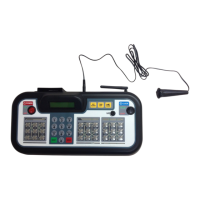
THE WIRELESS SCOREBOARD CONTROLLER
THE FACE
1
2
6
7
9
10
12
11
13
8
3 5
4
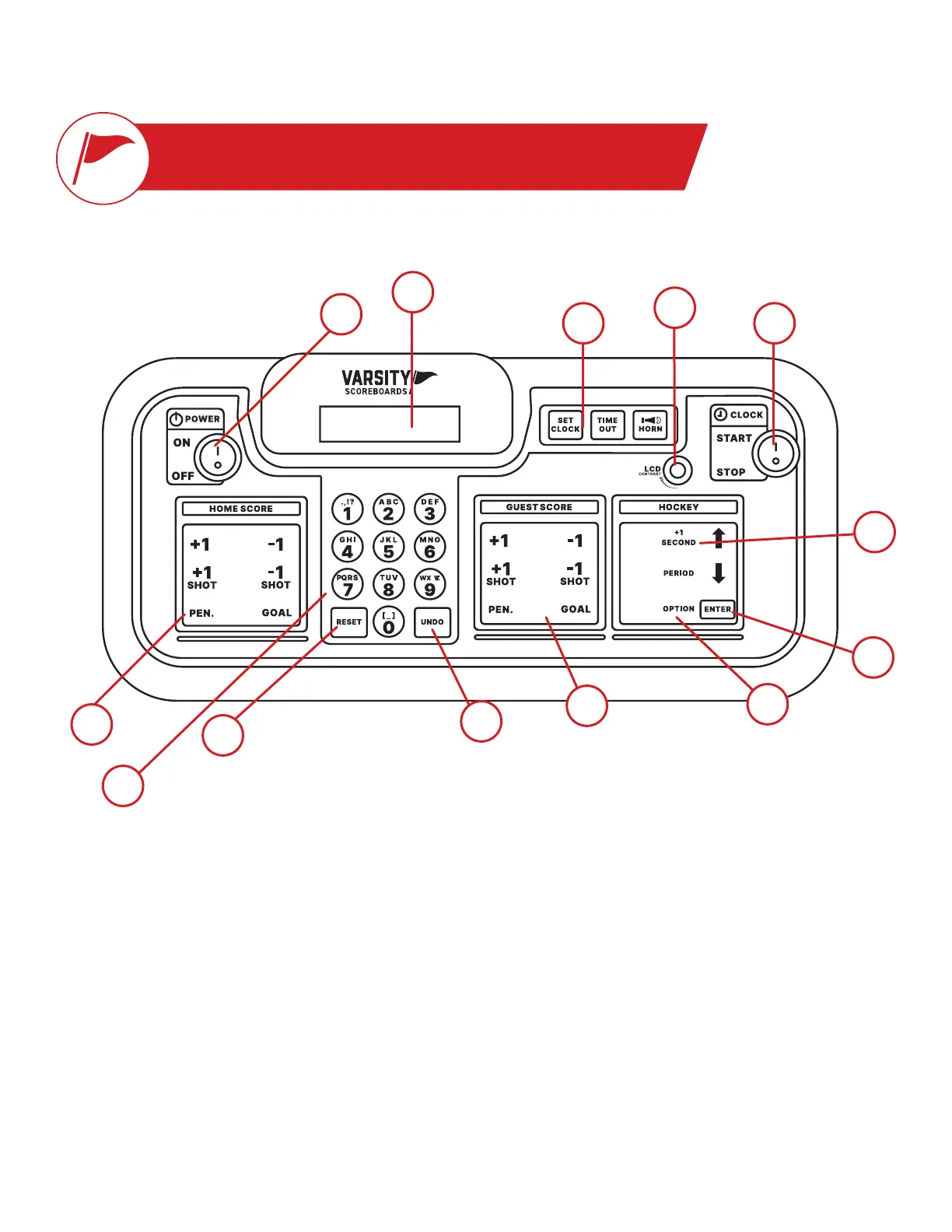
1 / Power
Turns Controller on/o.
6 / Home Score
Used to enter scoring infor-
mation for the Home team
10 / Guest Score Keypad
Used to enter scoring infor-
mation for the Guest team.
11 / Game Keypad
Used to enter values related
to game play.
3 / Clock Controls
These are used to set, start,
and stop the game and time-
out clock. The horn button is
also located in this section.
7 / Reset Key
Use this key to clear out
existing game and reset the
scoreboard to default start-
up values. Press and hold
for 3 seconds to clear all of
the scoring info while saving
option settings.
13 / Enter Key
Used to accept any entry in
the Option menu and to con-
tinue last game scored when
Controller is rst turned On.
4 / Contrast Knob
This knob is used to
change the brightness of
the LCD Display.
8 / Numeric Keypad
Used to enter values when
setting options and editing
scoring information.
2 / LCD Display
All settings and scoring
information will be
visable here.
12 / Option Key
To enter the options menu,
press and hold Option key
for 3 seconds.
5 / Start & Stop Switch
This switch is used to start
and stop the game clock.
9 / Undo Key
Used to undo the last
Controller entry. Press/hold
the undo key while turning
the keyboard on to access the
System Settings menu.


 To Next Page