7.3 System settings
1.
Press to activate the main menu.
2.
Press or until the display shows ‘Setting’ and conrm with .
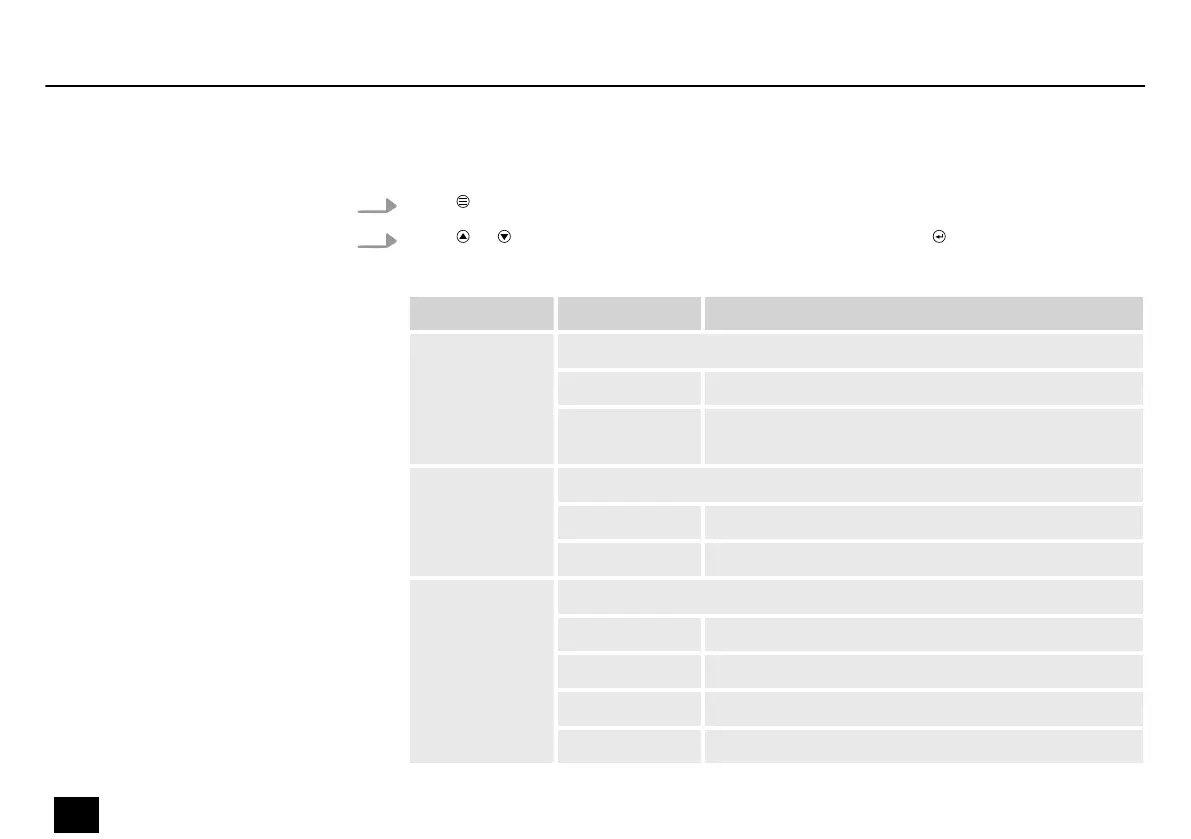
The following table shows the setting options.
Menu level 2 Menu level 3 Function
‘Display’ Automatic display shutdown when not in use
‘on’ The display illumination is permanently on
‘o’ The display illumination is switched o after 30
seconds
‘Display Rev’ Display inversion
‘on’ On, display is rotated by 180°
‘o’ O, normal display
‘DMX Fail’ Device behaviour on DMX signal failure
‘Blackout’ Blackout
‘Manual’ Performing the manual control
‘Auto’ Performing an automatic run
‘Hold’ Retaining last settings
Operating
30
Blitz Bar 240
Stroboscope


 To Next Page