11
2.6.3 Counters
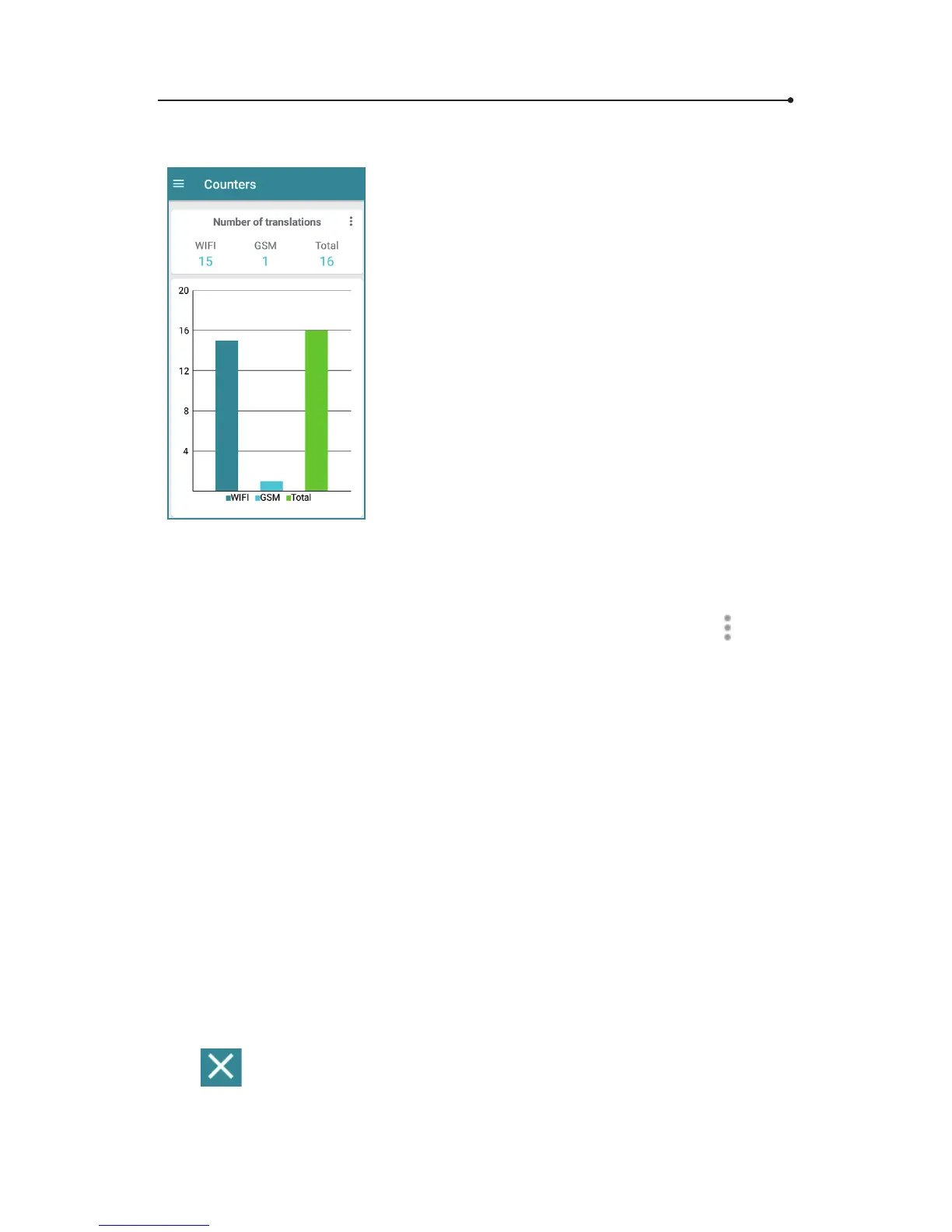
The translation counters allow you to
control the number of translations carried
out over WiFi and GSM.
The manufacturer’s top-up allows you to
translate around 5,000 sentences in most of
the countries. If your translator doesn’t work
and the counter shows a number higher
than 5,000, check your balance by contact-
ing the seller.
There are 3 counters: translations via WiFi,
translations via mobile network (GSM) and
the total number of translations.
Translations via WiFi are unlimited.
To reset selected counter, tap
and
conrm by clicking « Reset counters ».
2.6.4 Phrasebook
This is a set of the most useful phrases in traveling.
Tap the ag icons to set the language pair. You will see the list of
available languages.
• Choose the source language
• Choose the target language
Tap « search » to see the keyboard. Start typing. You will see the list
of available phrases containing letters/words you’re typing. If you
don’t see anything, it means that there is no translation available in
the phrasebook.
Tap
to delete text.



 To Next Page