8
2.1 Choosing the source and target languages
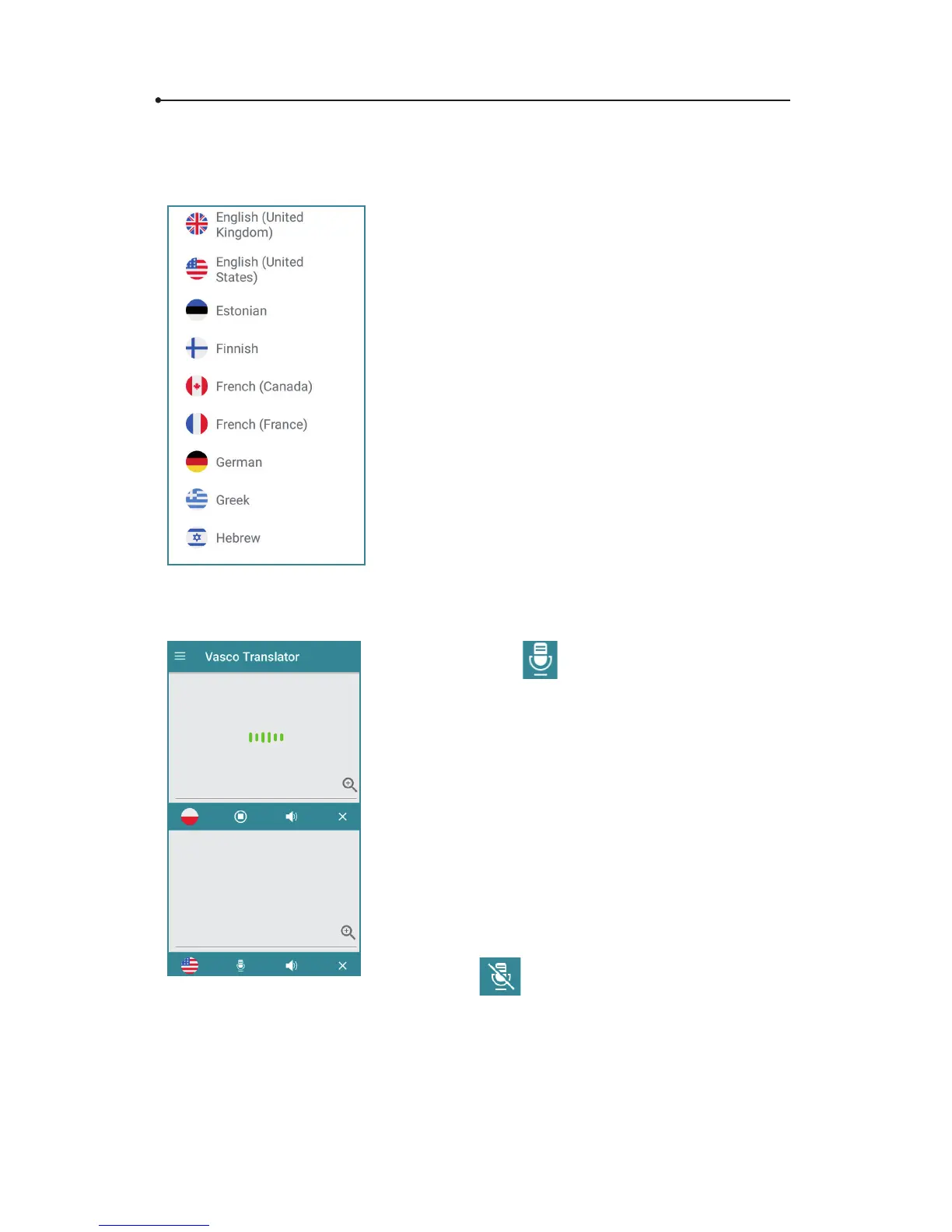
Tap the ag to see the list of available
languages. Swipe up or down to nd the
language you need. Tap the name of the
language to activate it.
You can quickly switch between the
languages by tapping the flag. You
don’t need to enter the text again if you
want to see the translation in dierent
languages. The current text will be translated
automatically right after changing the
language.
2.2 Voice recognition
The icon serves to enter
text using the voice recognition
function. In order to enter any spoken
text, tap the key and, after hearing a beep,
say what you want to translate in a clear,
monotonous voice, from a distance of
a foot (half a meter).
When you nish, the translation is done
automatically and lasts about 2 seconds.
The icon
means that the voice rec-
ognition is not available for the chosen
language. Please enter the text using the
keyboard.



 To Next Page