12
CHAPTER II DENOMINATION AND FUNCTION
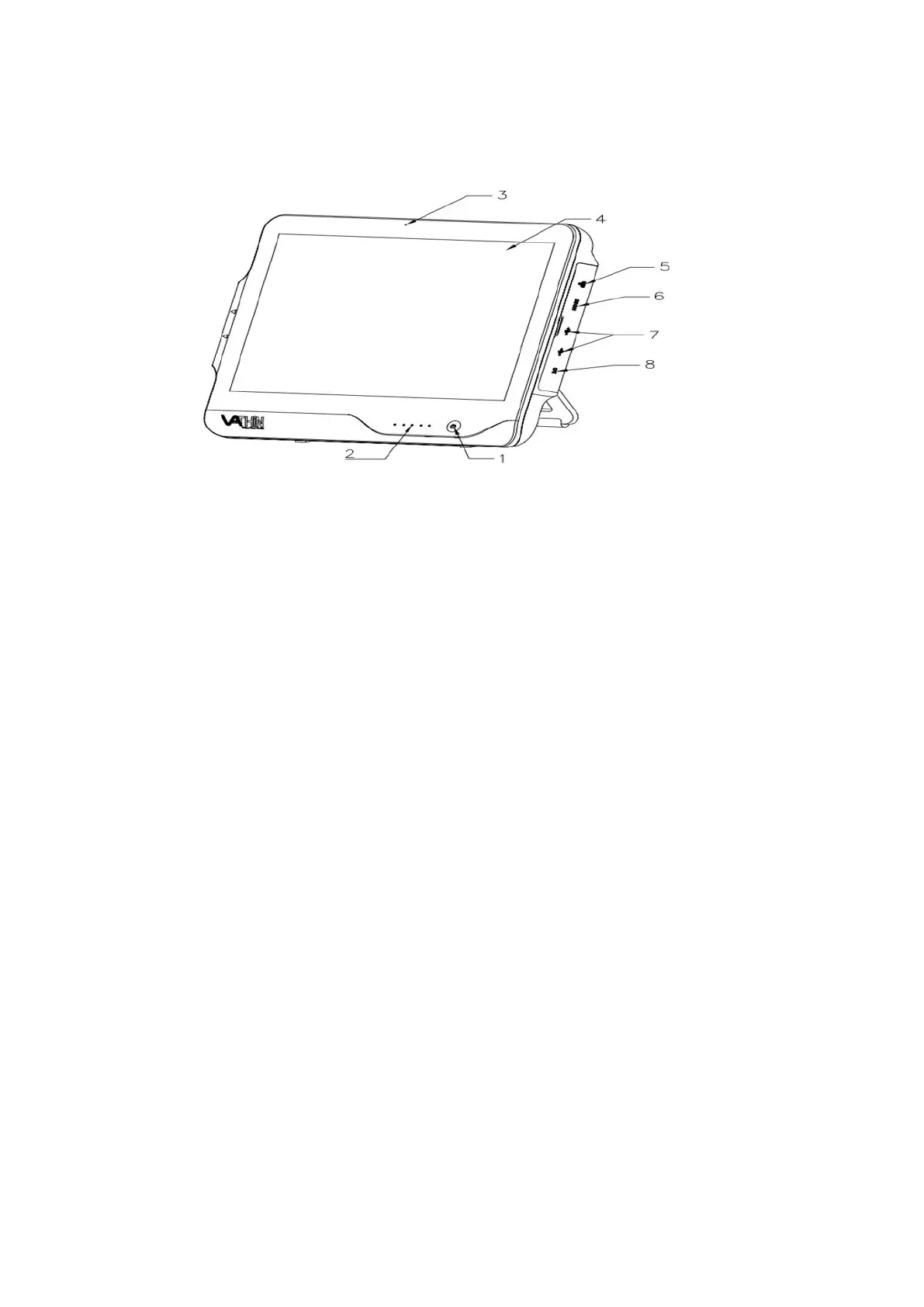
1. Power button
Before use, short press the power button to turn on the product, and long press it for 3 seconds
to turn off the product.
2. Power indicator
It is normally ON when the power supply is not connected, while it flashes when the product is
being charged.
3. Microphone
It indicates the position where the sound is received, and this function can be enabled/disabled
in the setting.
4. Display screen
It is used to display the image after the endoscope is connected, and is touchable.
5. WLAM interface
It is used to receive the network cable for connecting to the wide area network.
6. HDMI interface
It is used to connect an external high-definition monitor for display expansion.
7.USB interface 3.0
It is used to connect external devices, such as U disk, scanner, keyboard and mouse.
8. Power jack
It receives 15V DC input, and provides the power supply for the entire system.



 To Next Page