13
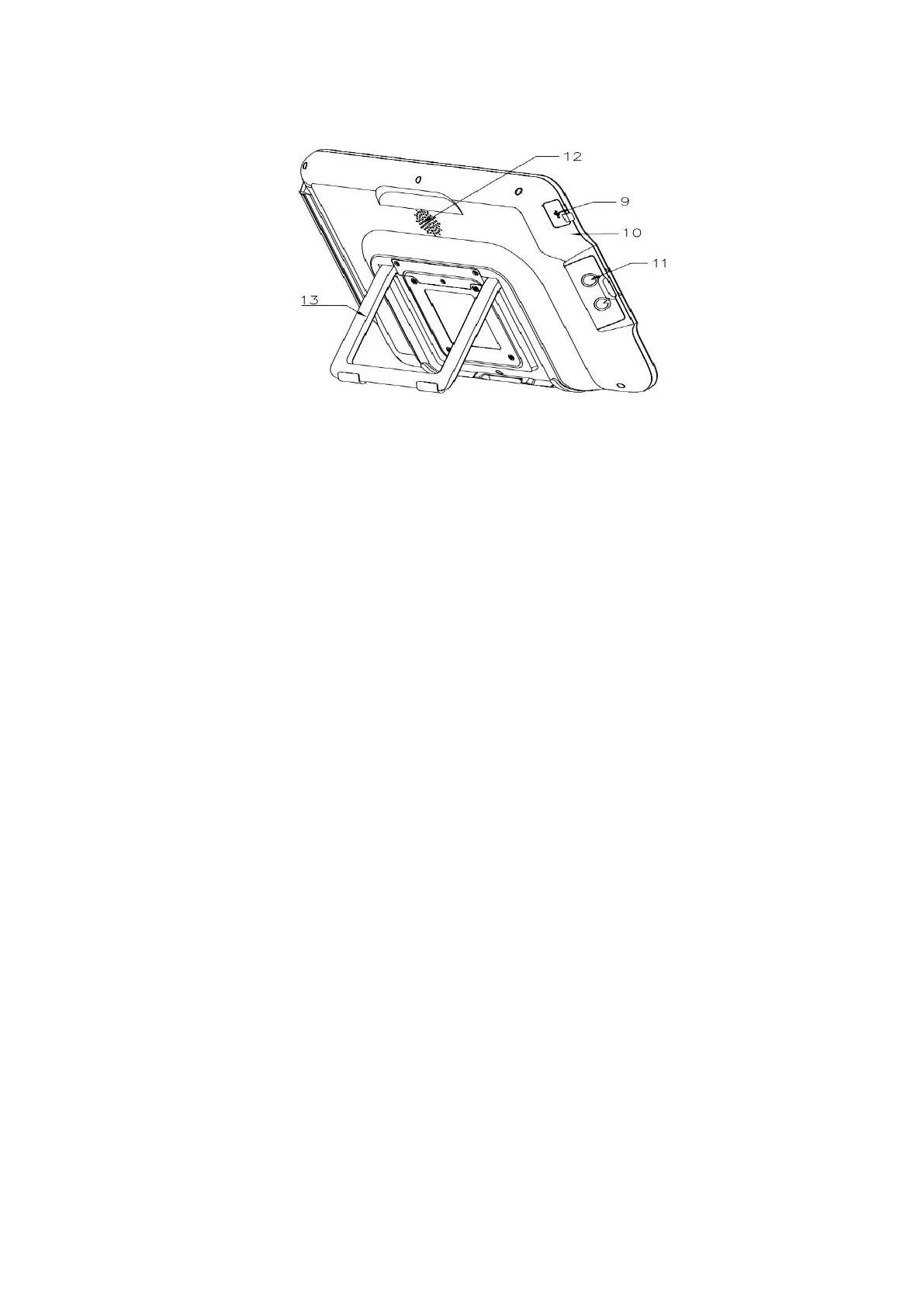
9. USB 2.0
It can be connected to a PC for image display.
10. Reset button
You can insert a pin into the hole and press the reset button in the hole to restore the factory
settings.*It is recommended to use a φ 1 mm and 10 mm long pin.
11. Video endoscope cable connector socket
The video endoscope cable can be inserted to this socket to connect the video endoscope and
the product.
12. Amplification sound hole
Indicates the position of sound amplification.
13. Bracket
It is used to support the product on a plane surface.
CHAPTER III HOW TO USE THE PRODUCT
3.1 Preparation, Connection and Inspection
Danger:
Connect the power plug of the power cable directly to a grounded wall outlet. Electric shock and/or fire
may be caused if the product is not properly grounded.
Warning:
Do not get the power cable wet; or else, electric shock may be caused.
Do not bend, pull or twist the power cable; or else, electric shock, equipment damage or fire may be
cause.



 To Next Page