8
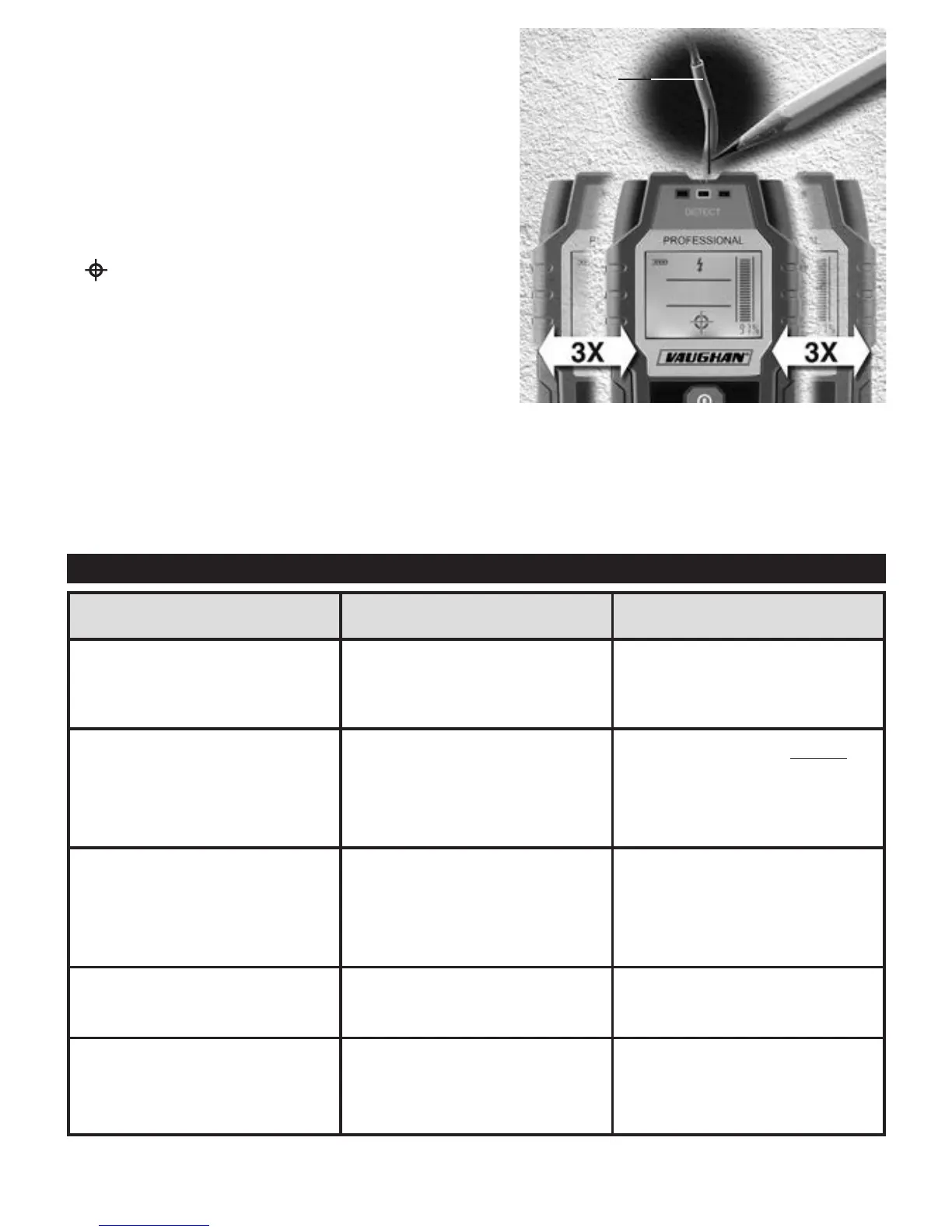
6. Place the sensor onto the surface to be scanned and
move the sensor side to side. As the sensor approaches/
moves away from the live wire under the surface, the
signal detection strength bar and % value indicators on
LCD display increase/decrease. To locate the live wire
more precisely, slowly move the sensor three times (3x)
side to side over the live wire. When live wire is located
directly below the center of the sensor, indications will be
at their max readings accompanied by cross-hair icon (
), repeating beeping sound of the internal buzzer and
blinking of yellow or red LED indicator. Mark the location
with a pencil.
NOTES:
• The sensor can detect voltage range 110 – 380 volts (AC),
50/60 Hz.
• Human body has some effect on sensor’s sensitivity in live wire mode. Proper calibration as discussed above
can reduce such effect.
• Dead wires (not connected to power) may be detected using “Wood” setting. “Metal” setting can only detect
large size dead cables (6 AWG or higher).
TROUBLESHOOTING
Surface
Live Wire
Problem Cause Solution
The sensor does not turn on;
or if it turns on, it operates
intermittently or erratically.
Battery is low. Replace with new battery.
Battery life seems to be too short.
Wrong battery type was used.
Sensor was left on for too long.
For best result, use 9V Alkaline
battery.
Turn off sensor as soon as
scanning is completed.
Sensor detects other objects
besides studs.
Electrical cables and pipes may
be near or touching back of the
scan area.
Scan directly above or below the
first scan area. Note that studs
are equally spaced at 16 or 24 in.
(406 or 610 mm).
Sensor does not detect as
expected.
Detection has some limitations.
See CAUTION box in OPERATING
INSTRUCTION section.
In live wire mode, the sensor’s
indications change when hand is
removed from the sensor.
Human body has some effect on
the sensor’s sensitivity in live
wire mode.
Proper calibration as discussed
in instruction manual can reduce
such effect.


 To Next Page